.svg)
LiveKit: Building Real-Time Voice and AI Agents with WebRTC
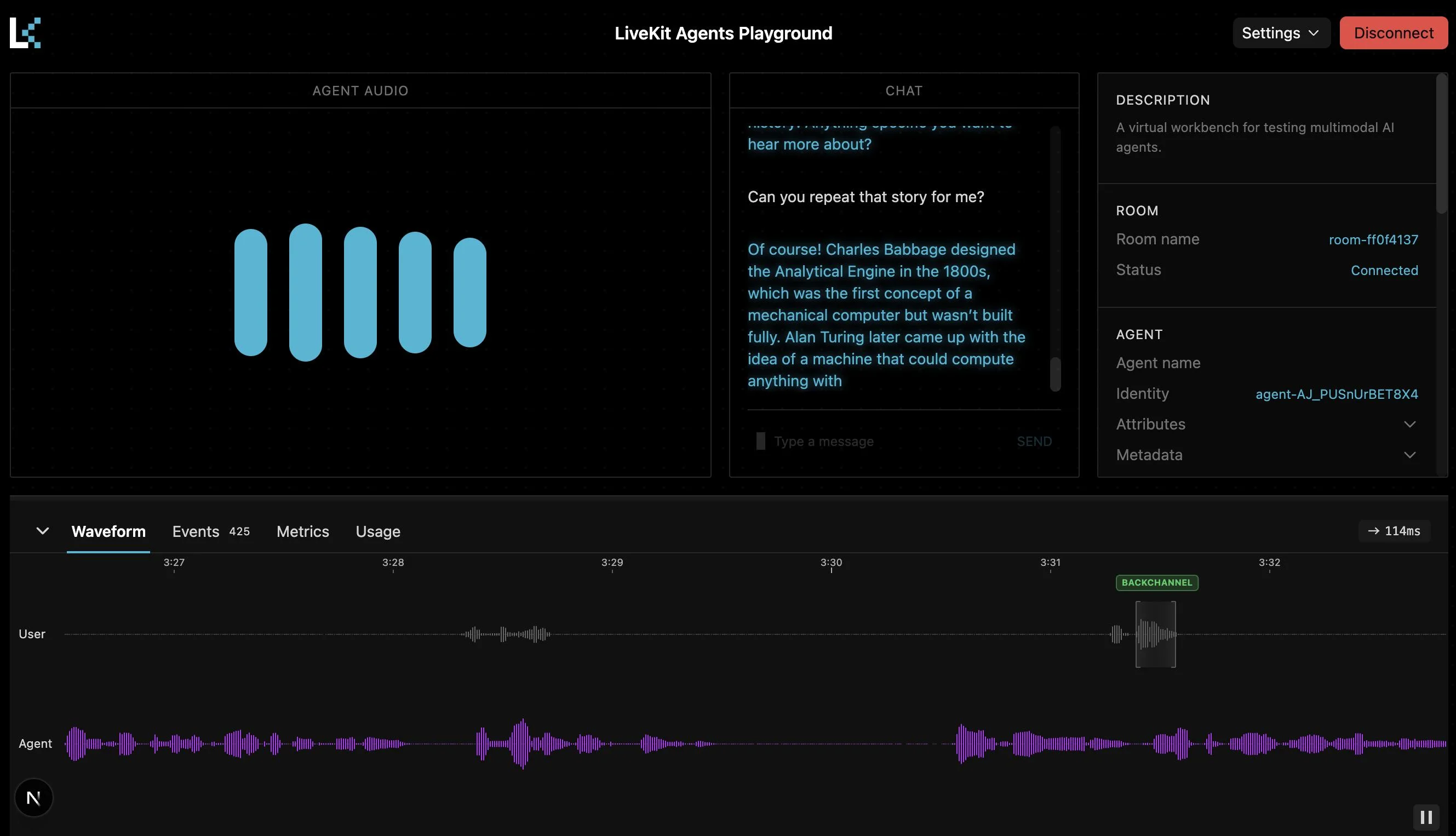
LiveKit: Building Real-Time Voice and AI Agents with WebRTC
Voice AI is moving beyond simple chat interfaces. Modern applications increasingly need AI that can listen, respond, understand interruptions, process realtime media, connect to business systems, and communicate naturally with users.
Building that experience is not simply a matter of connecting an LLM to a microphone. Developers also need to manage realtime audio and video transport, user sessions, speech processing, turn detection, interruptions, frontend state, authentication, scaling, and sometimes telephone connectivity.
LiveKit provides a realtime foundation for building these experiences. Its open-source framework and cloud platform support voice, video, data, and AI agents, with WebRTC providing the underlying realtime communication layer. LiveKit Agents allows Python or Node.js programs to participate in LiveKit rooms as realtime agents and connect them to AI models and application logic.
For companies developing voice assistants, customer-service automation, AI calling systems, or multimodal applications, LiveKit can become the communication layer between users, AI models, and business applications.
What Is LiveKit?
LiveKit is an open-source realtime communication framework and cloud platform designed for applications involving audio, video, data, and AI agents.
At its core, LiveKit uses a production-grade WebRTC infrastructure to manage realtime communication. Applications can organize interactions around rooms, participants, and tracks.
- Rooms: Virtual spaces where realtime interactions occur.
- Participants: Users, applications, or AI agents connected to a room.
- Tracks: Audio, video, and other realtime streams exchanged between participants.
This architecture becomes especially useful when an AI agent needs to behave like another participant in a live conversation rather than simply returning a response to an HTTP request.
Why WebRTC Matters for AI Applications
Traditional web applications often rely on HTTP request-response communication. That model works well when a user submits a form or requests a page, but conversational voice applications have a different requirement.
Imagine a customer speaking to an AI sales assistant:
- The microphone continuously captures audio.
- The system needs to detect when the customer starts and stops speaking.
- The AI needs to respond without unnecessary delay.
- The customer may interrupt the AI while it is speaking.
- Audio needs to continue flowing while other application events occur.
- The interface may need to display transcripts and agent status simultaneously.
WebRTC is designed for realtime media communication, and LiveKit provides infrastructure around it so developers do not have to build the entire realtime transport layer themselves.
LiveKit's transport layer handles media communication, network adaptation, synchronization, and other realtime infrastructure concerns.
LiveKit Agents: Where AI Enters the Conversation
The LiveKit Agents framework allows a Python or Node.js application to join a LiveKit room as a realtime participant.
This changes the architecture of an AI application. Instead of treating AI as a separate API that receives text and returns text, the agent can participate directly in an ongoing realtime session.
A simplified interaction can look like this:
User
  ↓
Microphone / Camera
  ↓
LiveKit WebRTC
  ↓
AI Agent
  ↓
STT / Realtime Model / LLM
  ↓
Business Tools & APIs
  ↓
AI Response
  ↓
LiveKit WebRTC
  ↓
User
The agent can process realtime audio, video, text, and data and can use tools to interact with external systems. LiveKit also supports agent workflows, tool use, multimodal interactions, and multi-agent handoffs.
How a LiveKit Voice AI Pipeline Works
A conventional voice AI architecture can contain several specialized stages:
- Speech input: The user speaks through a microphone or telephone connection.
- Speech-to-text: Audio is converted into text.
- Language model: The AI interprets the request and determines a response or action.
- Business tools: The agent can retrieve information or perform permitted operations through APIs.
- Text-to-speech: The response is converted back into speech.
- Realtime delivery: The response is streamed back to the user.
LiveKit Agents supports both multi-model STT-LLM-TTS pipelines and realtime models capable of direct speech-to-speech interaction.
STT + LLM + TTS
Using separate models gives developers greater control over individual parts of the voice pipeline.
For example, a customer-support agent might use one provider for speech recognition, another model for reasoning, and a specialized voice model for speech generation.
This architecture can be useful when the business has specific requirements for transcription quality, reasoning, voice characteristics, language support, or provider flexibility.
Realtime Speech-to-Speech Models
Realtime models can process and generate speech directly, reducing the need to construct a traditional three-stage voice pipeline.
This approach can help preserve characteristics of spoken communication such as tone and other vocal cues. LiveKit supports integrations with several realtime model providers through its Agents framework.
Handling Interruptions and Natural Conversations
One of the biggest differences between a basic voice bot and a useful voice agent is how it handles conversation flow.
Consider a customer saying:
“Can you schedule a meeting for tomorrow—actually, make that Thursday morning.”
The system needs to recognize the change rather than treating every detected phrase as an independent command.
Similarly, users may interrupt an AI while it is speaking:
“Wait, don't book it yet.”
Realtime agents therefore need mechanisms for turn detection, interruption handling, speech state, and session management.
LiveKit Agents provides abstractions around these realtime voice challenges, including turn detection and interruption handling.
LiveKit for AI Calling Applications
Voice AI does not have to live entirely inside a website.
Businesses can connect realtime AI agents with telephony systems so customers can interact with an AI agent through a phone call.
This creates possibilities such as:
- Inbound customer-service calls
- Appointment scheduling
- Lead qualification
- Outbound sales calls
- Survey collection
- Call screening and routing
- Automated follow-ups
- Recruitment screening calls
LiveKit provides telephony support, allowing users to join conversations through phone connectivity rather than only through a browser or mobile application.
This is particularly relevant for businesses that already depend heavily on telephone-based customer interactions.
Example: AI Customer-Service Agent
Consider a service company receiving hundreds of calls asking about appointment availability.
A LiveKit-based AI workflow could look like this:
- The customer calls the business.
- The call is connected to the AI agent.
- The agent identifies the customer's intent.
- The agent checks appointment availability through a business API.
- The customer selects a suitable time.
- The agent creates the appointment.
- The interaction is logged in the company's CRM.
- The customer receives confirmation.
The important point is that the AI is not merely answering questions. It is participating in a realtime conversation while interacting with business systems.
This is the type of architecture that can support production AI calling products such as Code-Ox's AIKA, which is positioned for AI-powered calling, customer inquiries, appointment scheduling, support, and follow-ups.
LiveKit and Custom AI Frontends
A voice agent needs more than a backend.
The frontend might show:
- Live microphone status
- Agent listening state
- Thinking or processing state
- Speaking state
- Live transcription
- Conversation history
- Call controls
- Connection status
- Optional video or avatar output
LiveKit provides SDKs and UI components for web and mobile platforms, including React, Android, Swift, Flutter, and other environments. Its frontend architecture allows the application to connect to agents through WebRTC and react to agent state and realtime media events.
This makes LiveKit particularly suitable for custom AI interfaces rather than forcing every business into the same conversational UI.
LiveKit with React and Next.js
For modern web applications, LiveKit can sit behind a custom React or Next.js interface.
A typical architecture could separate responsibilities like this:
- Next.js / React: User interface and application experience.
- LiveKit SDK: Realtime room and media communication.
- Agent service: AI conversation logic.
- LLM or realtime model: Reasoning and response generation.
- STT/TTS: Speech processing where required.
- Backend APIs: CRM, ERP, scheduling, payments, or other business systems.
- Database: Persistent customer and conversation data.
For a company such as Code-Ox, which builds AI solutions and custom web applications, this architecture allows the realtime communication layer to be combined with a tailored business interface rather than treating voice AI as an isolated feature. Code-Ox's AI portfolio includes conversational AI, voice calling agents, recruitment automation, RAG systems, and AI-powered visual solutions.
Connecting AI Agents to Business Tools
The real value of an AI agent often comes from what it can safely do after understanding a request.
Suppose a customer says:
“Please check whether my service appointment can be moved to Friday afternoon.”
The agent could:
- Understand the request.
- Identify the customer.
- Call an appointment-management API.
- Check available slots.
- Present suitable options.
- Update the appointment after confirmation.
- Record the interaction.
LiveKit provides the realtime communication foundation, while the application's tools and backend determine what the agent is actually authorized to do.
This distinction is important: LiveKit is not the business logic itself. It provides the realtime infrastructure and agent framework that developers can connect to their application logic and AI providers.
Multimodal AI with LiveKit
Voice is only one part of realtime AI.
LiveKit Agents can work with multiple modalities, including speech, text, and vision. This opens the door to applications where an AI agent can respond to more than spoken language.
For example, imagine a technical-support application where a customer shares a camera feed showing a machine problem.
The AI could combine:
- Spoken customer explanations
- Video input
- Conversation history
- Technical documentation
- Business data
- AI reasoning
The result is closer to a realtime multimodal assistant than a conventional chatbot.
LiveKit, RAG, and Enterprise Knowledge
A realtime agent can also be connected to a retrieval-augmented generation system.
For example, a support agent might receive a question about a product warranty. Instead of relying only on the model's general knowledge, the application can retrieve relevant information from the company's approved documentation and provide that context to the AI.
The resulting architecture could be:
Customer Voice
      ↓
LiveKit
      ↓
AI Agent
      ↓
Knowledge Retrieval
      ↓
Company Documents / Vector Database
      ↓
LLM
      ↓
Voice Response
      ↓
Customer
This approach combines realtime communication with an organization's own knowledge layer.
For Code-Ox, this is particularly relevant when building AI systems that need to connect conversational interfaces with company-specific knowledge, CRM data, ERP workflows, or other internal systems.
LiveKit Cloud vs Self-Hosting
LiveKit can be used through LiveKit Cloud or deployed using the open-source infrastructure in a custom environment.
LiveKit Cloud provides managed infrastructure for realtime applications and AI agents, including managed deployment, observability, and other production capabilities.
Self-hosting provides greater control over infrastructure and deployment architecture and can be appropriate when organizations have specific infrastructure, compliance, networking, or operational requirements.
The decision should be based on the application's requirements rather than assuming that one deployment model is universally better.
Scaling a LiveKit AI Application
Realtime AI applications introduce scaling requirements that differ from ordinary web APIs.
A production system may need to manage:
- Concurrent voice sessions
- Realtime media streams
- Agent workers
- Model API traffic
- Telephony connections
- Database operations
- Conversation history
- Monitoring and traces
- Failures and reconnections
LiveKit's agent architecture includes agent servers, workers, dispatching, load balancing, and deployment mechanisms intended for production workloads.
However, scaling the realtime layer alone does not solve every bottleneck. AI model latency, database performance, external API response times, concurrency limits, and business-system capacity also need to be considered.
Security and Permissions Matter
Giving an AI agent access to business systems introduces an important architectural responsibility: permissions.
An agent that can read customer information is different from an agent that can modify appointments. An agent that can create an appointment is different from one that can issue refunds or modify financial records.
A production architecture should therefore consider:
- Authentication
- Short-lived access credentials
- Role-based permissions
- Tool-level authorization
- Input validation
- Approval workflows for sensitive actions
- Audit logging
- Rate limits
- Human escalation
- Monitoring and incident response
LiveKit handles realtime communication and agent infrastructure, while application-level authorization should determine what each agent is permitted to access or change.
When Should You Use LiveKit?
LiveKit becomes especially interesting when realtime communication is a central part of the product.
It can be a strong fit for:
- Voice AI assistants
- AI calling platforms
- Realtime customer-service agents
- Video AI applications
- Multimodal assistants
- Telehealth experiences
- AI interview platforms
- Interactive educational assistants
- Realtime collaboration tools
- Voice-enabled SaaS products
It may be unnecessary for a conventional text chatbot that only needs a simple request-response API. The architecture should follow the product requirement rather than adding realtime infrastructure simply because it is available.
LiveKit vs Building WebRTC Infrastructure Yourself
Building directly on WebRTC can provide significant control, but it also means taking responsibility for many low-level realtime concerns.
A development team may need to deal with signaling, connection management, media routing, network conditions, device handling, synchronization, scaling, and additional infrastructure.
LiveKit abstracts many of these concerns into a higher-level platform and SDK ecosystem.
This can allow a team to focus more of its engineering effort on the actual product: the AI agent, business workflows, user experience, integrations, and domain-specific functionality.
Building Production Voice AI with Code-Ox
For businesses, choosing LiveKit is only one part of building a production AI system.
The more important question is how realtime AI fits into the existing business process.
Code-Ox approaches AI development around business use cases, combining AI capabilities with custom software, integrations, and application workflows. Its current AI offering includes conversational AI, voice AI and calling agents, AI recruitment automation, RAG systems, and AI-powered visual solutions.
For example, a company could combine a LiveKit-based voice agent with:
- CRM integration for lead management
- ERP integration for customer and order information
- Calendar APIs for appointment scheduling
- RAG for internal knowledge
- Analytics for conversation performance
- Human handoff for complex requests
- Custom React or Next.js interfaces
This turns realtime voice technology into a business application rather than a standalone technical demonstration.
LiveKit and the Future of AI Interfaces
The next generation of AI interfaces will not be limited to typing questions into a chat box.
Users will increasingly interact with AI through voice, video, screens, cameras, documents, and other realtime signals.
That shift creates a new engineering challenge: AI needs a communication layer capable of handling these interactions continuously and reliably.
LiveKit addresses this layer by combining WebRTC-based realtime transport with SDKs, agent infrastructure, AI integrations, and cloud deployment options.
For teams building AI products, this creates an architecture where the AI agent can become an active participant in the application rather than simply an API endpoint.
Conclusion
LiveKit provides a powerful foundation for building realtime voice, video, and AI agent experiences.
Its WebRTC-based transport handles realtime communication, while LiveKit Agents provides the framework for connecting Python or Node.js applications to live sessions, AI models, tools, and business workflows.
The technology is particularly valuable when an application requires natural voice interaction, interruption handling, multimodal input, telephony, realtime data, or AI agents that can participate directly in a session.
But the technology alone does not create a successful AI product. The strongest implementations connect realtime AI to meaningful business workflows, controlled tools, reliable data, thoughtful user experiences, and measurable outcomes.
For businesses exploring voice AI, calling automation, or realtime AI applications, LiveKit can serve as an important part of the technical foundation. Combined with the application engineering, AI integration, and business-focused development capabilities of Code-Ox, it can become part of a production-ready solution designed around a specific business need.
Ready to turn a voice AI idea into a working product? Code-Ox can help move from concept and prototype to a production-oriented AI application, including realtime voice experiences, integrations, custom interfaces, and business automation.