.svg)
Tailwind CSS vs Bootstrap: Which CSS Framework Should You Choose in 2026?
Tailwind CSS vs Bootstrap: Which CSS Framework Should You Choose in 2026?
Choosing a CSS framework is no longer just a frontend developer's decision. For businesses, the choice can influence how quickly a product is built, how distinctive the interface looks, how easily the design system evolves, and how much effort future maintenance requires.
Two names continue to dominate this conversation: Tailwind CSS and Bootstrap.
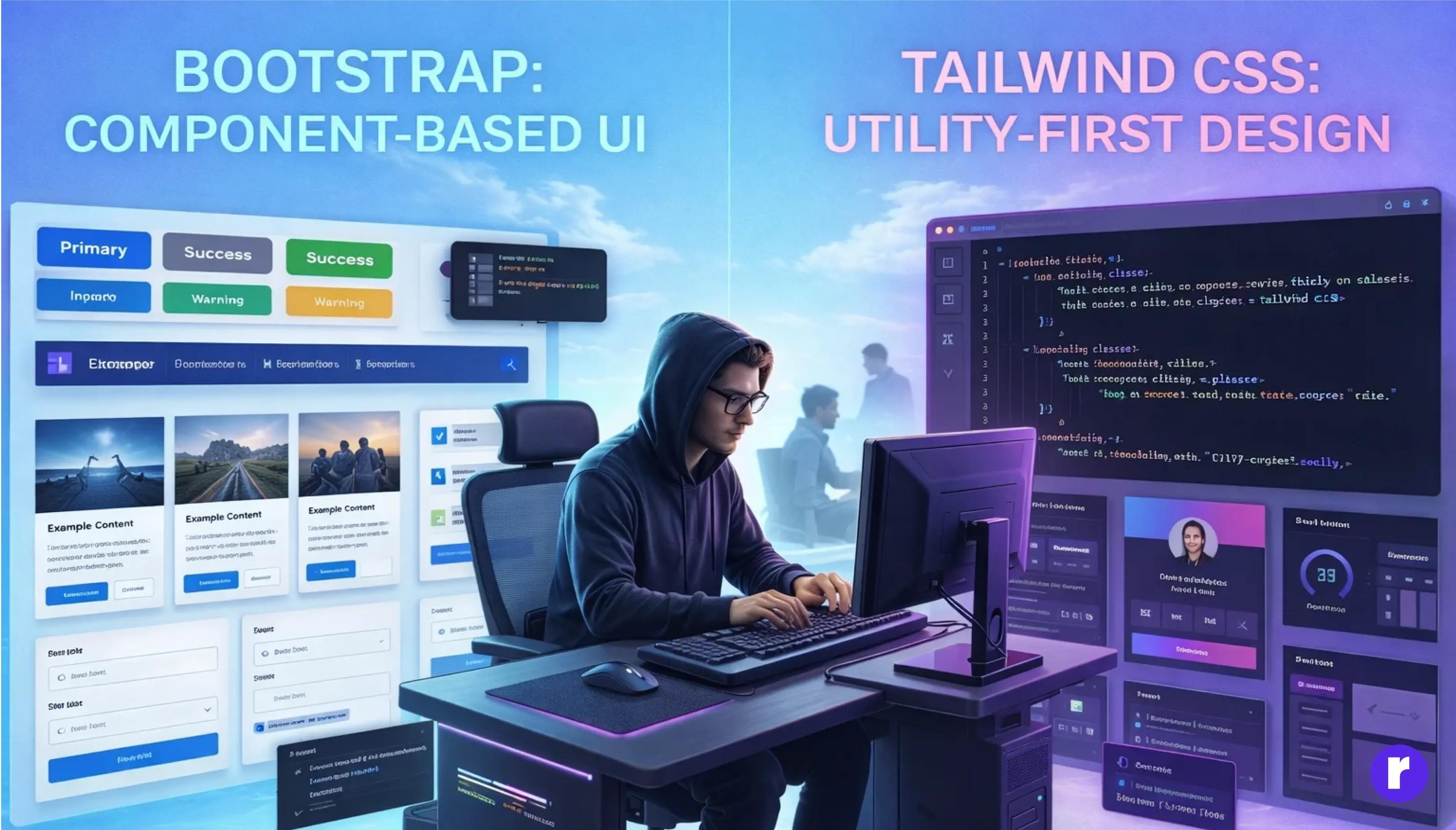
Bootstrap is known for its ready-made components and fast development workflow. Tailwind CSS takes a utility-first approach, giving developers much more granular control over the interface.
Both frameworks can be used to build responsive, production-ready websites and applications. The real question is not which framework is universally better, but which one fits your product, development team, design requirements, and long-term goals?
Tailwind CSS vs Bootstrap at a Glance
| Factor | Tailwind CSS | Bootstrap |
|---|---|---|
| Core approach | Utility-first | Component-based |
| Design flexibility | Very high | High with customization |
| Ready-made components | Limited by default | Extensive |
| Learning curve | Moderate | Easier initially |
| Custom design systems | Excellent | Good |
| Rapid prototyping | Fast after familiarity | Very fast |
| Responsive development | Strong | Strong |
| React / Next.js projects | Excellent fit | Good fit |
| Enterprise applications | Excellent | Excellent |
| Best suited for | Custom interfaces and design systems | Fast, consistent interfaces |
The difference becomes clearer when you understand how each framework approaches frontend development.
What Is Tailwind CSS?
Tailwind CSS is a utility-first CSS framework. Instead of providing a large collection of pre-designed interface components, Tailwind provides small utility classes that can be combined to create an interface.
Developers can control spacing, typography, colors, borders, sizing, responsive behavior, and other visual properties through these utility classes.
This approach gives development teams significant control over the final appearance of a website or application.
Why Businesses Choose Tailwind CSS
Imagine a company building a new SaaS platform that requires a unique visual identity, custom dashboards, responsive layouts, multiple user roles, data-heavy screens, reusable UI patterns, and a scalable design system.
Tailwind can be particularly useful for this type of product because the interface does not have to follow a predefined visual style.
The development team can establish its own typography, spacing, colors, components, responsive rules, and interaction patterns.
This makes Tailwind particularly attractive for custom web applications, SaaS platforms, dashboards, customer portals, and modern digital products.
What Is Bootstrap?
Bootstrap takes a different approach.
Instead of starting primarily with individual utility classes, Bootstrap provides a large collection of ready-made components and established styling conventions.
Developers can quickly create navigation bars, buttons, forms, modals, tables, alerts, cards, dropdowns, grids, and responsive layouts.
This makes Bootstrap particularly useful when development speed and familiar interface patterns are important.
For example, an internal business portal may need to be delivered quickly with a consistent user interface. Instead of designing every component from scratch, developers can use Bootstrap's existing component system and customize it where necessary.
The Biggest Difference: Utility-First vs Component-Based
The most important difference between Tailwind CSS and Bootstrap is their development philosophy.
Tailwind CSS
Tailwind provides building blocks that developers combine to create their own interface.
Design system → Utilities → Custom components → Application
Bootstrap
Bootstrap provides established interface components that developers can configure and customize.
Components → Customization → Application
Neither approach is universally right or wrong. The better choice depends on how much control your product requires over its visual language.
Tailwind CSS vs Bootstrap for Custom Design
If creating a distinctive user interface is a major priority, Tailwind generally provides a more natural workflow.
A product team can establish its own:
- Color system
- Typography
- Spacing scale
- Border radius
- Shadows
- Breakpoints
- Component states
- Responsive behavior
This can be particularly valuable for SaaS products, marketplaces, customer portals, e-commerce platforms, and enterprise applications where the interface is an important part of the brand.
Bootstrap can also be customized extensively. However, teams working with Bootstrap often start from its existing component patterns and adapt them to their requirements.
The real question is:
Do you want to start with your own design language, or start with an established component language?
Which Is Faster: Tailwind or Bootstrap?
The answer depends heavily on the development team and the type of project.
Bootstrap can be faster during the initial stages because many common components are already available.
A developer can quickly assemble a functional interface without spending significant time creating foundational UI patterns.
Tailwind can require more thought at the beginning. However, once a team has established reusable components and design tokens, development can become extremely efficient.
For example, a Code-Ox development team building a custom SaaS platform can establish reusable components for:
- Buttons
- Forms
- Tables
- Dashboard sections
- Navigation
- Search interfaces
- Filters
- Notifications
Once these patterns exist, new screens can be assembled consistently without rebuilding the design from scratch.
Responsive Web Design
Both Tailwind CSS and Bootstrap support responsive web development.
Bootstrap provides a structured responsive grid and breakpoint system, while Tailwind allows developers to apply responsive variants directly to individual utility classes.
For example, a business dashboard might require:
- Desktop: Sidebar, navigation, and multi-column analytics
- Tablet: Reduced sidebar and two-column layout
- Mobile: Compact navigation and single-column content
Both frameworks can support these layouts. The primary difference is how developers express responsive rules and how much granular control they want over individual elements.
Tailwind CSS vs Bootstrap for React and Next.js
The comparison becomes particularly relevant for modern frontend teams using React and Next.js.
Tailwind fits naturally into component-driven development. A React or Next.js application can contain reusable components such as:
- Button
- Modal
- Data Table
- Navbar
- Sidebar
- Dashboard
- Form Field
- Notification
Each component can contain its own styling while following the project's shared design system.
This makes Tailwind a strong fit for custom React and Next.js applications.
Code-Ox uses modern frontend technologies including Next.js, React, TypeScript, and Tailwind CSS for building modern web applications and digital products.
Bootstrap for Business Applications
Bootstrap remains highly practical for many business applications.
Consider an internal business portal that requires:
- User authentication
- Employee management
- Reports
- Tables
- Forms
- Filters
- Approval screens
- Administrative controls
If the project requires a large number of conventional business UI components quickly, Bootstrap can provide an effective starting point.
This is especially useful when visual differentiation is not the primary objective.
In these cases, the priorities may be:
Speed → Consistency → Functionality → Maintainability
Performance: Is Tailwind Faster?
It is tempting to say that one CSS framework is automatically faster than the other. However, real-world application performance depends on much more than the CSS framework itself.
Important factors include:
- JavaScript execution
- Image optimization
- Font loading
- API response times
- Database queries
- Server-side rendering
- Caching
- Third-party scripts
- Component architecture
- Network conditions
Tailwind's production workflow can generate only the CSS required by a project rather than shipping a large collection of unused styles.
Tailwind CSS v4 also introduced a new engine and CSS-first configuration approach, bringing changes that teams should evaluate when upgrading existing projects.
The better approach is to measure the complete application rather than choosing a framework based only on CSS size.
Customization and Design Systems
Customization is one of Tailwind's strongest areas.
Suppose a company has a brand system containing:
- Primary and secondary colors
- Specific typography
- Custom spacing
- Rounded interface elements
- Multiple button variants
- Dark mode
- Accessibility requirements
These design decisions can become reusable patterns throughout the application.
This makes it easier for a growing product team to maintain visual consistency across multiple screens and product areas.
Bootstrap can achieve similar results, but the implementation approach is different. Its component-oriented ecosystem provides a strong starting point, while Tailwind encourages teams to build their own component language.
Maintenance and Scalability
Choosing a CSS framework is also a long-term architectural decision.
A small website may contain only a few pages. A business platform can eventually contain dozens of screens, dashboards, customer portals, administration areas, role-specific experiences, and responsive workflows.
At that scale, consistency becomes more important than simply writing CSS quickly.
A well-structured component system can prevent different developers from creating slightly different versions of the same button, form, table, or navigation pattern.
This is why frontend architecture matters more than the CSS framework alone.
Tailwind CSS vs Bootstrap for E-Commerce
Consider an e-commerce platform:
Homepage → Product Listing → Product Details → Cart → Checkout → Payment → Order Tracking
Behind the interface, the application may connect with:
- ERP systems
- Inventory systems
- Payment gateways
- Shipping platforms
- CRM systems
- Analytics platforms
- Marketing automation
The CSS framework does not solve these integration problems, but it influences how efficiently the team can build and maintain the interface connecting users to these systems.
For a highly branded storefront, Tailwind can provide strong design flexibility.
For a straightforward commerce portal where established UI patterns are sufficient, Bootstrap may provide a faster starting point.
Tailwind CSS vs Bootstrap for Enterprise Applications
Enterprise applications have different priorities from marketing websites.
A business application may require:
- Role-based access
- Complex forms
- Data tables
- Approval workflows
- Dashboards
- API integrations
- Audit trails
- Responsive interfaces
- Long-term maintenance
Both Tailwind CSS and Bootstrap can support these requirements.
The important question is how the frontend architecture is designed around the framework.
Code-Ox approaches custom web application development with scalable architecture and API-first development, connecting frontend experiences with the business systems behind them.
When Should You Choose Tailwind CSS?
Tailwind is a strong choice when you need:
- A highly customized interface
- A modern SaaS product
- A strong design system
- React or Next.js development
- Reusable UI components
- Precise responsive control
- A distinctive brand experience
- Long-term frontend scalability
It is especially suitable when the interface is an important part of the product's competitive advantage.
When Should You Choose Bootstrap?
Bootstrap can be a better choice when you need:
- Rapid prototyping
- Ready-made UI components
- A familiar development workflow
- Conventional business interfaces
- Administrative dashboards
- Internal tools
- Quick MVP development
- Less design customization
Bootstrap remains a practical and mature option for projects where speed and established components are important.
Can You Use Tailwind and Bootstrap Together?
Technically, yes. However, that does not mean using both is always a good idea.
Combining the two can increase project complexity because the application now has two different styling philosophies and potentially overlapping utility and component systems.
For a new project, choosing one primary styling approach is usually easier for:
- Code consistency
- Developer onboarding
- Component reuse
- Maintenance
- Design system management
There may be valid reasons to combine them in an existing application, but the decision should be architectural rather than accidental.
The Real Decision: Product Before Framework
The biggest mistake is asking:
"Which framework is better?"
A better question is:
"What does this product need from its frontend?"
Before choosing Tailwind or Bootstrap, consider:
- How customized does the interface need to be?
- Is the application built with React or Next.js?
- Does the project require a formal design system?
- How quickly does the first release need to happen?
- How many screens will the application eventually have?
- Will multiple developers maintain the frontend?
- Does the product require complex responsive behavior?
- Does the business already have an established UI system?
- Will the application integrate with ERP, CRM, or other APIs?
- What should the product look like three years from now?
These questions lead to a much better technology decision than simply comparing feature lists.
How Code-Ox Approaches Frontend Development
At Code-Ox, frontend development is treated as part of the larger product architecture.
The company builds and modernizes custom web applications with a focus on performance, security, scalability, and long-term growth.
Its modern frontend approach includes technologies such as Next.js, React, TypeScript, and Tailwind CSS, supported by backend and infrastructure technologies such as Python, FastAPI, Node.js, PostgreSQL, Redis, and Docker.
This allows the frontend to connect with the systems behind the product instead of functioning as an isolated visual layer.
A typical architecture can look like:
User Interface → React / Next.js → API Layer → Business Logic → ERP / CRM / Database → Analytics & Automation
This approach is particularly important for businesses building SaaS platforms, dashboards, customer portals, e-commerce systems, and internal business applications.
Final Verdict: Tailwind CSS or Bootstrap?
There is no universal winner.
Choose Tailwind CSS when customization, modern product design, component-driven development, and design-system control are major priorities.
Choose Bootstrap when ready-made components, rapid development, and conventional interfaces are more important.
For a new, highly customized React or Next.js product, Tailwind CSS is often the more natural choice.
For a business application that needs to move quickly with established UI patterns, Bootstrap remains a strong option.
The framework matters, but the architecture, product requirements, and development team matter more.
If you are planning a new web application and are unsure which frontend approach fits your product, Code-Ox can help you evaluate the architecture, technology stack, integrations, and long-term scalability before development begins.