.svg)
Framer Motion: Building Smooth, Interactive React Interfaces
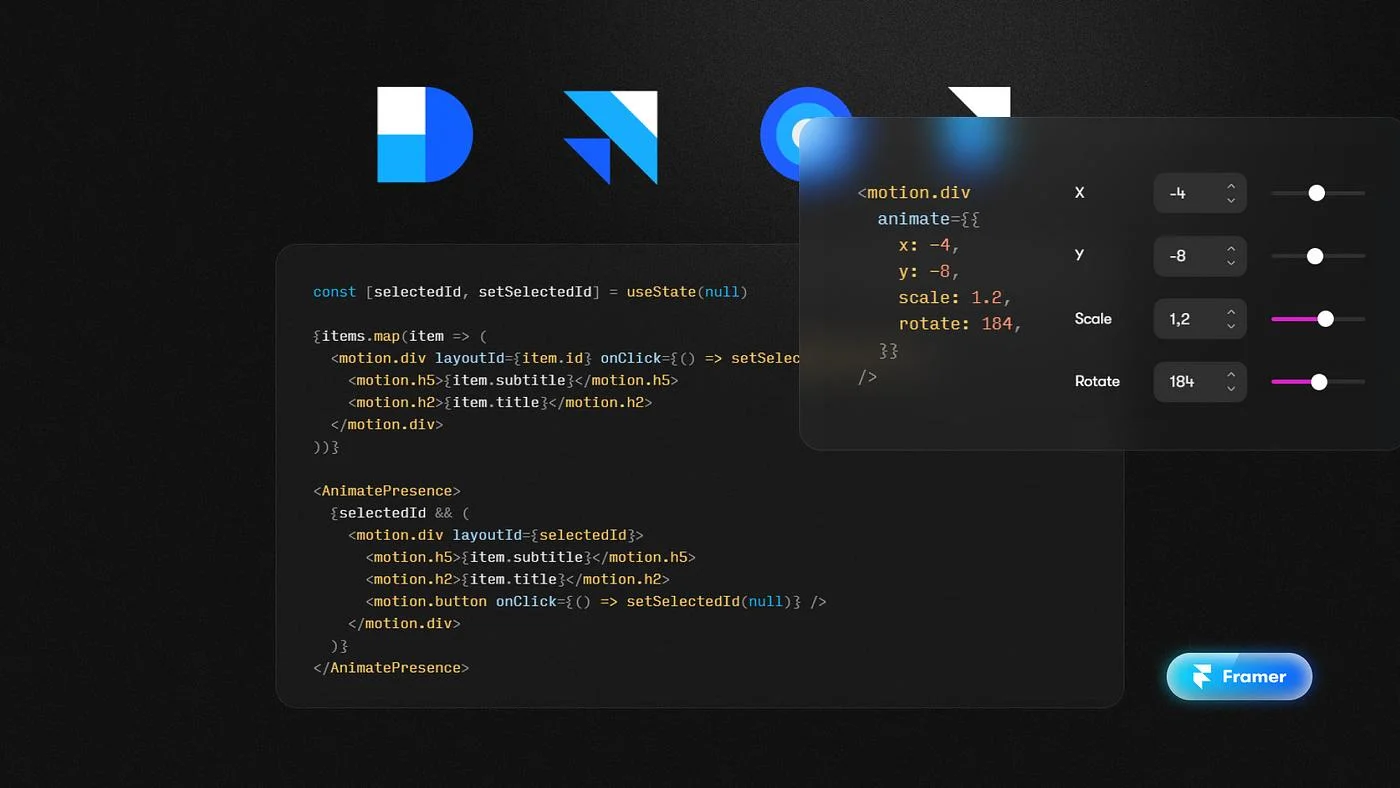
Framer Motion: Building Smooth, Interactive React Interfaces
A modern website is no longer judged only by how quickly it loads or how well its content is organized. Users also notice how an interface responds: a menu should open naturally, content should appear at the right moment, page transitions should feel intentional, and interactions should provide clear visual feedback.
For React developers, Framer Motion has become one of the most recognizable tools for creating these experiences.
Today, the library is branded as Motion for React, and its current API is available through motion/react. It provides a declarative approach to animations, while supporting more advanced capabilities such as gestures, scroll-linked motion, layout animation, exit animations, and spring-based interactions.
For a software development company such as Code-Ox, these capabilities are particularly useful when building polished SaaS platforms, AI applications, dashboards, landing pages, and customer-facing web applications where interaction is part of the product experience.
What Is Framer Motion?
Framer Motion is a React animation library that allows developers to add animations and interactions directly to React components.
Instead of manually coordinating CSS classes, timers, DOM manipulation, and event handlers for every animation, developers can describe how a component should move between visual states.
A basic example looks like this:
import { motion } from "motion/react";

export default function Example() {
  return (
    <motion.div
      initial={{ opacity: 0, y: 20 }}
      animate={{ opacity: 1, y: 0 }}
    >
      Hello World
    </motion.div>
  );
}
The component starts slightly lower and transparent, then moves into its final position while becoming visible.
This declarative model is one of the reasons Motion fits naturally into React applications.
Framer Motion vs Motion for React
If you are researching Framer Motion today, you may notice that the official documentation refers to Motion or Motion for React.
The project previously known as Framer Motion has evolved into the broader Motion platform, which now supports React, JavaScript, and Vue. For React applications, the current package uses:
npm install motionand imports are written as:
import { motion } from "motion/react";The underlying goal remains familiar: create production-quality animations without building an animation system from scratch.
Why Animation Matters in Modern Web Development
Animation should not exist simply because a page can move.
Good motion communicates what is happening.
Consider a SaaS dashboard where a user submits a form. Without visual feedback, the interface may appear unresponsive for a moment.
A subtle loading transition can communicate:
- the action was recognized
- the request is being processed
- the interface is still active
- the result is about to appear
Similarly, when a navigation panel expands, animation helps users understand the relationship between the previous and new states.
For interfaces developed by Code-Ox, motion can therefore be treated as part of UX communication, rather than decoration.
Core Building Block: The motion Component
The motion component is the foundation of Motion for React.
HTML and SVG elements can be converted into motion-enabled elements such as:
<motion.div />
<motion.button />
<motion.img />
<motion.svg />
<motion.circle />
These elements behave like their normal HTML or SVG counterparts while gaining animation properties such as animate, initial, exit, and gesture-related properties.
This makes the animation layer feel like part of the component rather than a separate system.
Enter Animations
One of the simplest uses of Framer Motion is animating content as it enters the interface.
<motion.div
  initial={{ opacity: 0, y: 30 }}
  animate={{ opacity: 1, y: 0 }}
>
  New content
</motion.div>
This pattern is useful for:
- hero content
- dashboard sections
- navigation elements
- form fields
- notification messages
- AI-generated responses
For example, an AI assistant developed by Code-Ox could reveal a generated response progressively instead of making the entire interface suddenly change.
Hover and Tap Interactions
Motion also provides declarative gesture animations.
A button can respond to hover and tap states without requiring a large amount of event-handling code:
<motion.button
  whileHover={{ scale: 1.04 }}
  whileTap={{ scale: 0.97 }}
>
  Get Started
</motion.button>
Motion currently supports interactions including hover, tap, focus, drag, and viewport-based triggers.
These small interactions can make calls to action feel more responsive without introducing unnecessary complexity.
Scroll-Based Animation
Scrolling is one of the most effective places to use motion on modern websites.
Instead of displaying every section immediately, a page can progressively reveal content as the visitor moves through it.
For example:
<motion.section
  initial={{ opacity: 0, y: 50 }}
  whileInView={{ opacity: 1, y: 0 }}
>
  <h2>Our AI Solutions</h2>
</motion.section>
This can work particularly well for technology companies presenting complex services.
On the Code-Ox AI Solutions page, for example, the visitor moves through different areas including conversational AI, voice AI, recruitment automation, computer vision, video generation, RAG systems, ERP-integrated AI, and AI analytics. A carefully designed motion system can help establish hierarchy between these sections without turning the page into a collection of disconnected animated effects.
Scroll-Linked Motion
There is a difference between an animation that starts when an element enters the viewport and an animation whose progress is directly connected to scrolling.
Motion provides useScroll and motion values for this type of experience.
const { scrollYProgress } = useScroll();

return (
  <motion.div
    style={{ scaleX: scrollYProgress }}
  />
);
This can be used for:
- reading progress indicators
- scroll-driven image movement
- product storytelling
- progressive diagrams
- interactive technology explanations
Motion's documentation distinguishes scroll-triggered animation from scroll-linked animation, giving developers separate approaches depending on the desired interaction.
AnimatePresence and Exit Animations
One common problem in React interfaces is animating an element when it disappears.
If React removes an element from the DOM immediately, there is normally nothing left to animate.
AnimatePresence solves this by allowing exiting components to remain available long enough for their exit animation to complete.
<AnimatePresence>
  {isVisible && (
    <motion.div
      initial={{ opacity: 0 }}
      animate={{ opacity: 1 }}
      exit={{ opacity: 0 }}
    >
      Menu
    </motion.div>
  )}
</AnimatePresence>
This is useful for:
- mobile menus
- modal windows
- notifications
- dropdown interfaces
- search overlays
- AI response states
- multi-step forms
Motion officially supports exit animations through AnimatePresence.
Layout Animation
Some of the most interesting interfaces are not simply fading elements in and out. Their layout itself changes.
Imagine a dashboard where a sidebar collapses and the main content smoothly expands into the available space.
Motion provides layout animation through the layout prop:
<motion.div layout>
  Content
</motion.div>
Motion detects changes in position and size and animates between layouts. It can also use layoutId when transitioning between different elements representing the same visual object.
This can create interfaces that feel significantly more connected because the user's eye can follow the movement of the interface rather than watching one element disappear and another appear.
Spring Physics
Not every interaction should use the same linear timing.
Physical movement often feels more natural when an element behaves like a spring.
Motion supports spring-based transitions, making it possible to create interactions that respond naturally to user input.
For example:
<motion.div
  animate={{ x: 100 }}
  transition={{ type: "spring" }}
/>
Spring-based motion can be particularly effective for:
- drag interactions
- expandable interfaces
- navigation transitions
- interactive controls
- cursor-following elements
The goal should not be to make every component “bouncy.” Spring behavior works best when the physical metaphor supports the interaction.
Variants for Complex Animation Systems
When a project contains many related animations, writing every animation directly on each component can become difficult to maintain.
Variants allow developers to define named visual states and reuse them.
const itemVariants = {
  hidden: {
    opacity: 0,
    y: 20
  },
  visible: {
    opacity: 1,
    y: 0
  }
};

<motion.div
  variants={itemVariants}
  initial="hidden"
  animate="visible"
>
  Content
</motion.div>
This approach becomes valuable when building larger applications where multiple sections follow a shared motion language.
For Code-Ox projects, a centralized animation vocabulary can help keep different pages consistent instead of allowing every component to invent its own timing and movement.
Staggered Animations
A list does not always need to appear as one block.
Items can enter sequentially:
Container
   ↓
Item 1
   ↓
Item 2
   ↓
Item 3
   ↓
Item 4
Staggering works particularly well for:
- feature lists
- navigation menus
- service sections
- dashboard widgets
- search results
- AI-generated lists
However, stagger should remain subtle. Excessive delays can make users wait for content that could have been visible immediately.
Framer Motion for AI Interfaces
AI applications have introduced a new category of interface problems.
An AI system may need to communicate:
- that a request is being processed
- that tools are being used
- that information is being retrieved
- that a response is being generated
- that a workflow has completed
- that human approval is required
Motion can help visualize these state changes.
For example, an AI recruitment platform could animate a candidate moving from screening to interview to evaluation. An AI customer-service application could transition between listening, processing, retrieval, and response states.
Code-Ox already works across AI interfaces including conversational AI, voice AI, recruitment automation, RAG systems, ERP-integrated AI assistants, and AI analytics. Motion can provide the interaction layer that makes these technically complex systems easier for users to understand.
Using Motion Without Making a Website Feel Over-Animated
This is one of the most important design considerations.
A website does not become premium simply because everything moves.
Good motion should have a reason.
Use animation when it helps:
- explain a relationship
- show a state change
- guide attention
- provide feedback
- create continuity between layouts
- make interaction feel responsive
Avoid animation when it:
- delays important content
- distracts from the primary action
- repeats unnecessarily
- causes excessive movement
- makes navigation slower
This distinction is especially important for business websites. A Code-Ox landing page, for example, should use motion to reinforce its technology story and guide visitors—not compete with the content itself.
Performance Considerations
Animation performance depends on what is being animated and how the browser handles it.
Motion's current architecture combines JavaScript with browser animation capabilities, including the Web Animations API and ScrollTimeline where appropriate, while falling back to JavaScript for features that require it.
Developers should still be careful with:
- large numbers of simultaneous animations
- heavy image transformations
- large DOM trees
- expensive layout calculations
- continuous scroll effects
- mobile-device performance
Animation should be tested on realistic devices rather than judged only from a high-end development machine.
Accessibility and Reduced Motion
Animation is also an accessibility consideration.
Some users prefer reduced motion or may experience discomfort from excessive movement.
A production interface should therefore consider reduced-motion preferences when designing significant transitions.
Motion provides useReducedMotion as part of its React APIs, allowing developers to adapt animations according to user preferences.
This is particularly important for professional SaaS and enterprise applications, where accessibility should be part of the interface architecture rather than a final-stage addition.
Framer Motion vs CSS Animations
Framer Motion does not replace CSS animations in every situation.
| Requirement | Good Starting Point |
|---|---|
| Simple hover color transition | CSS |
| Simple transform transition | CSS or Motion |
| React component enter/exit | Motion |
| Layout changes | Motion |
| Drag interactions | Motion |
| Scroll-linked animation | Motion |
| Complex React animation orchestration | Motion |
| Very simple static animation | CSS |
The official Motion documentation itself notes that CSS can be the better choice for simple, self-contained effects, while Motion becomes more valuable as animation requirements become more complex.
Framer Motion in Next.js Projects
Motion can be particularly useful in modern React frameworks such as Next.js.
A typical application might use:
Next.js
   +
React
   +
TypeScript
   +
Motion
   +
Tailwind CSS
This combination can support polished SaaS interfaces, dashboards, marketing websites, AI products, and interactive web applications.
For Code-Ox, this fits naturally into the broader frontend technology stack used for building modern web applications, alongside technologies such as Next.js, React, TypeScript, Tailwind CSS, GSAP, and Three.js.
Real-World Example: A Modern AI Product Page
Imagine an AI product page designed to explain a complex platform.
Instead of presenting every feature as a static block, the interface could use motion to establish a visual story:
- The hero content enters with a subtle transition.
- A product visualization responds to scrolling.
- Feature groups reveal as they become relevant.
- Interactive elements respond to hover and focus.
- A workflow diagram transitions between stages.
- AI processing states use lightweight motion feedback.
- The final call to action enters once the user reaches the relevant section.
The important part is that the animation follows the information architecture.
That is the difference between adding animations to a website and designing an interface with motion.
How Code-Ox Can Use Framer Motion in Product Development
For Code-Ox, Motion is not simply another frontend dependency. It can be part of a broader product-engineering approach where interaction, usability, and technical performance are considered together.
Motion can be applied to projects such as:
- AI-powered web applications
- SaaS platforms
- enterprise dashboards
- customer portals
- e-commerce experiences
- interactive landing pages
- data visualization interfaces
- AI assistants
- workflow applications
- custom business software
For example, a Code-Ox dashboard could use layout animation to smoothly reorganize panels, viewport-based motion to introduce analytics sections, and state-based transitions to communicate background AI processing.
The implementation should remain subordinate to the product's purpose: motion should make the interface clearer, not merely more animated.
What Makes a Good Motion System?
A professional application benefits from consistency.
Instead of choosing arbitrary animation durations for every component, a design system can define principles for:
- enter transitions
- exit transitions
- hover feedback
- page transitions
- layout movement
- spring behavior
- stagger timing
- reduced-motion behavior
This creates a recognizable interaction language across the application.
For large Code-Ox projects, such consistency can be especially valuable because different screens may be developed by different components of the product team while still needing to feel like one cohesive product.
Conclusion
Framer Motion—now known as Motion for React—is one of the practical tools available to React developers for creating responsive, expressive interfaces.
Its value goes beyond simple fade-in effects. Developers can use it for gestures, scroll interactions, layout transitions, exit animations, spring physics, SVG animation, and coordinated component states.
But the strongest implementations are not necessarily the ones with the most animation.
The best interfaces use motion with purpose: to communicate state, guide attention, preserve continuity, provide feedback, and make complex interactions easier to understand.
For companies building modern SaaS products, AI platforms, dashboards, and custom web applications, that distinction matters. With the right architecture and design system, technologies such as React, Next.js, TypeScript, Tailwind CSS, and Motion can work together to create experiences that are not only technically capable but also intuitive to use.
At Code-Ox, we combine modern frontend engineering with thoughtful UX to build web and AI products where performance, interaction, and business objectives work together.