.svg)
Odoo WhatsApp Integration: Automate Customer Communication and Business Workflows
Reported By
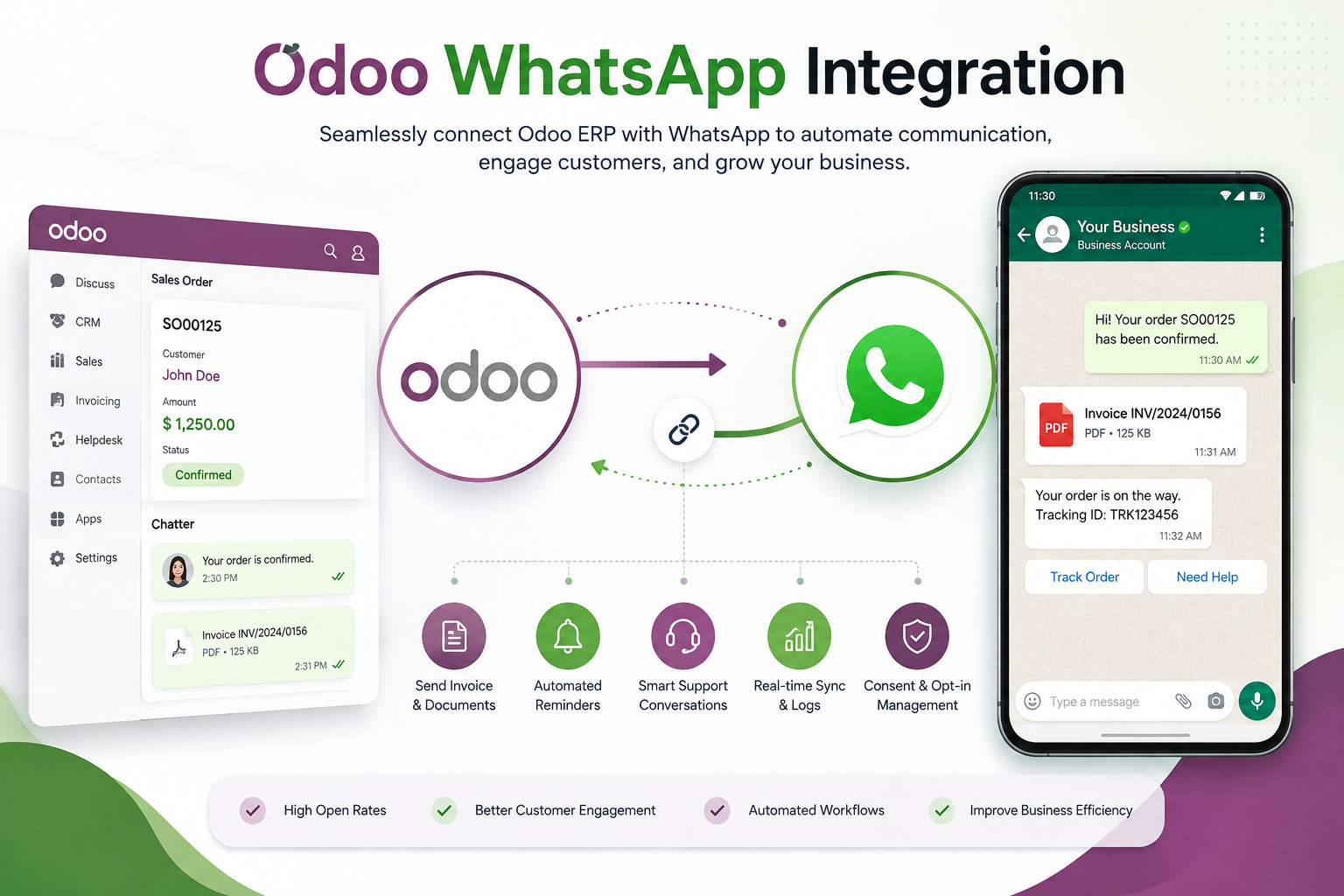
Customer communication has become an essential part of modern business operations. Customers expect quick responses, timely updates, and convenient communication through channels they already use every day. For many businesses, WhatsApp has become one of the most effective channels for customer communication.
However, managing WhatsApp conversations separately from your business systems can create data silos, repetitive work, and communication gaps. Odoo WhatsApp integration connects WhatsApp directly with Odoo CRM, Sales, Helpdesk, and other business workflows, helping teams communicate with customers while keeping important information connected.
What Is Odoo WhatsApp Integration?
Odoo WhatsApp integration connects the WhatsApp Business Platform with Odoo so businesses can send and receive customer messages directly through their existing business workflows.
Instead of switching between Odoo and WhatsApp manually, teams can use integrated messaging for activities such as sending invoice links, order updates, delivery information, appointment reminders, and customer support responses.
The integration can also connect incoming WhatsApp replies with the appropriate Odoo user, sales team, or support workflow.
Why Integrate WhatsApp with Odoo?
Businesses often manage customer information in Odoo while communicating with customers through separate messaging applications. This separation can make it difficult to maintain a complete view of customer interactions.
By integrating WhatsApp with Odoo, businesses can create a more connected communication process where customer conversations and business activities work together.
1. Centralized Customer Communication
Sales, CRM, and support teams can communicate with customers through WhatsApp while keeping their business processes connected to Odoo.
Messages related to leads, sales orders, invoices, and support requests can be managed as part of a broader customer communication workflow.
2. Automated Business Notifications
Manual communication can consume valuable time, especially when businesses need to send repetitive updates to customers.
With Odoo WhatsApp integration, businesses can automate notifications and reminders for events such as payments, deliveries, appointments, and other customer-related activities.
3. Send Invoices and Important Documents
Businesses can use WhatsApp messaging workflows to provide customers with invoice links and relevant documents when appropriate.
This can make the payment and communication process more convenient while reducing the need for customers to search through emails for important information.
4. Faster Customer Support
Customers often prefer messaging because it provides a quick and convenient way to ask questions. Connecting WhatsApp with Odoo Helpdesk can help support teams manage incoming conversations more efficiently.
Inbound replies can be routed to the appropriate Odoo user or support team, helping businesses respond to customer requests without losing important conversations.
5. Interactive Customer Conversations
WhatsApp supports interactive messaging experiences that can make customer communication easier. Businesses can use interactive buttons and reply events as part of automated communication flows.
This can be useful for common customer actions such as confirming appointments, responding to requests, or selecting available options.
What Data Can Be Synchronized?
The exact synchronization depends on the business workflow and integration requirements. Common WhatsApp-related information that can be connected with Odoo includes:
- Customer WhatsApp account numbers
- Message dispatch logs
- Interactive button reply events
- Customer and partner information
- CRM leads and opportunities
- Sales order communication
- Helpdesk conversations
- Invoice and payment notifications
- Delivery and appointment updates
Key Odoo WhatsApp Integration Capabilities
Omnichannel Chatter
Send WhatsApp messages directly from relevant Odoo workflows, including leads, sales order confirmations, and helpdesk tickets. This allows teams to communicate with customers without separating communication from their business processes.
Event-Based Triggers
Automate customer notifications based on specific business events. Payment reminders, delivery updates, appointment notifications, and other predefined events can trigger WhatsApp communication.
Agent Inbox
Inbound WhatsApp replies can be routed to the appropriate Odoo user or team. This helps customer service and sales teams manage incoming conversations and respond more efficiently.
Consent Tracking
Customer communication should respect applicable consent and marketing preferences. Odoo can maintain customer consent information so that WhatsApp communication workflows can take relevant opt-in preferences into account.
Benefits of Odoo WhatsApp Integration
- High customer engagement: Communicate through a channel customers frequently use.
- Faster communication: Deliver important updates without relying entirely on traditional communication channels.
- Automated notifications: Reduce repetitive manual messaging for common business events.
- Better customer experience: Provide timely updates about orders, payments, deliveries, and appointments.
- Centralized workflows: Connect customer communication with Odoo CRM, Sales, and Helpdesk processes.
- Reduced data silos: Keep customer communication closer to the business information used by your teams.
How Does Odoo WhatsApp Integration Work?
A typical Odoo WhatsApp integration uses the Meta WhatsApp Business Platform and connects it with Odoo through the required API and webhook configuration.
The integration process generally includes the following steps:
- Authorize the Meta WhatsApp Developer Profile: Configure the required Meta and WhatsApp Business credentials.
- Set up Odoo WhatsApp templates: Configure approved message templates for different business communication scenarios.
- Configure webhook callback verification: Set up webhook endpoints and verification tokens to handle WhatsApp events securely.
- Test messaging workflows: Simulate different messaging scenarios, including outbound messages, inbound replies, interactive responses, and automated triggers.
Automate More Than Just Messages
WhatsApp integration becomes more valuable when it is connected to actual business processes rather than being used only as a standalone messaging channel.
For example, an order confirmation can trigger a WhatsApp notification, a payment reminder can be sent automatically, and a delivery update can be communicated to the customer based on the relevant Odoo workflow.
This approach allows businesses to turn WhatsApp into an extension of their CRM, sales, support, and operational processes.
Why Choose CodeOx for Odoo WhatsApp Integration?
At CodeOx, we help businesses connect Odoo with modern communication channels and automate customer-facing workflows.
Our integration approach starts by understanding your existing Odoo processes, communication requirements, customer journeys, and automation opportunities. We then configure the integration around your specific business needs.
From WhatsApp authorization and template configuration to webhook setup and messaging flow testing, our team can help you build a reliable communication workflow connected to your Odoo environment.
Conclusion
Odoo WhatsApp integration can help businesses transform customer communication by connecting WhatsApp with CRM, Sales, Helpdesk, invoicing, and other Odoo workflows.
By automating notifications, connecting customer replies, tracking communication events, and reducing manual messaging, businesses can create faster and more consistent customer experiences.
If you want to connect WhatsApp with Odoo and automate your customer communication, CodeOx can help you design and implement an integration that fits your business processes.