.svg)
The Shift Is Full. So Why Is the Business Still Short-Staffed?
Reported By
Code
The Shift Is Full. So Why Is the Business Still Short-Staffed?
A schedule can look completely full and still leave a business understaffed.
Imagine a service company with 30 employees working across three locations.
The weekly schedule has been prepared. Every shift appears to have someone assigned.
Then Monday arrives.
One location needs two experienced technicians, but has one junior employee.
Another shift has three people assigned, but none have the skill required for the day's work.
A third employee is scheduled for a shift they cannot actually attend.
Technically, the schedule is full.
Operationally, it is broken.
This is where workforce planning becomes more than putting names into time slots.
Odoo Planning provides a visual way to schedule employee shifts, manage open shifts, and allocate work based on roles or skills. Code-Ox implements and customizes the Planning application around the organization's actual workforce rules.
A Schedule Has to Answer More Than “Who Is Working?”
When managers build schedules manually, the first question is usually straightforward:
Who is available?
But that is only the beginning.
The better questions are:
- Who is available at this time?
- Who has the required skill?
- Who is already assigned elsewhere?
- How many people are needed?
- Which location needs coverage?
- Who is qualified for this particular role?
A planning system becomes valuable when it can help answer those questions together.
A Full Shift Does Not Mean the Right Shift
Consider a maintenance company that needs four technicians on a Saturday.
The manager assigns four available employees.
Everything appears complete.
But the Saturday jobs include electrical work, and only one of the four employees has the required electrical qualification.
The schedule is technically staffed.
The work is not.
Match People to the Work
Odoo Planning supports role-based allocation, allowing shifts to be assigned according to specific skills or job roles.
That changes workforce planning from simple availability management to capability management.
The question becomes:
“Who can actually perform this work?”
rather than simply:
“Who has an empty calendar?”
The Gantt View Turns a List of Shifts Into a Workforce Picture
A list can tell a manager that Sarah is scheduled Monday, Tuesday, and Wednesday.
It does not immediately show how the entire workforce is distributed across the week.
With 40 employees, multiple locations, overlapping shifts, and changing assignments, the list becomes difficult to reason about.
See the Week Before It Happens
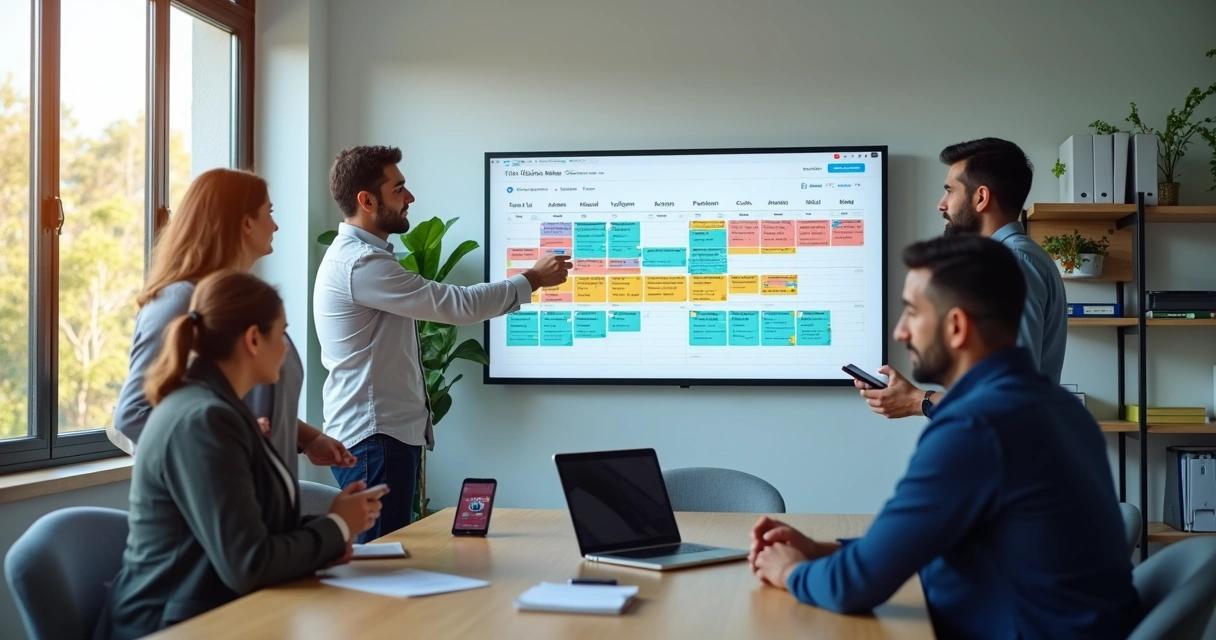
Odoo Planning uses a visual Gantt chart to create and manage employee shifts.
That visual timeline helps managers see when people are scheduled, where coverage exists, and where gaps may be developing.
Instead of opening several calendars and spreadsheets, the manager gets a broader view of workforce allocation.
The Hardest Part of Scheduling Is Usually the Change
The original schedule is rarely the schedule that actually happens.
An employee calls in sick.
A customer changes a service appointment.
A project finishes early.
A new job arrives.
A location suddenly needs another employee.
The manager now has to change the schedule without creating a second problem somewhere else.
Moving One Shift Can Affect Several Others
Suppose an employee is moved from a Tuesday afternoon shift to Wednesday morning.
That solves Wednesday's staffing problem.
But who covers Tuesday?
Does the employee now overlap with another assignment?
Does the change affect their availability later in the week?
Manual scheduling makes these relationships difficult to see.
A centralized planning workflow gives the manager one place to make and review those changes.
Open Shifts Change Who Solves the Scheduling Problem
Not every shift needs to be assigned manually by a manager.
Imagine a company has an additional Saturday shift available.
Several employees are qualified.
The manager could message each person individually and wait for responses.
Or the shift can be published as available to employees who are able and eligible to take it.
Let Employees Claim Suitable Open Shifts
Odoo Planning supports open shifts that employees can sign up for based on their own availability.
This changes the scheduling process from a completely top-down model to a controlled allocation model.
The manager still controls the workforce requirements.
Employees get visibility into available opportunities.
The system records who takes the shift.
Employee Availability Should Be Part of the Planning Conversation
Consider a business operating seven days a week.
One employee is available only on weekdays.
Another prefers weekend shifts.
A third employee can work evenings but not mornings.
If all three are treated as identical resources, the schedule will require unnecessary manual correction.
Availability Is a Constraint, Not a Note
A useful planning system needs to distinguish between:
“Employee exists.”
and:
“Employee can actually work this shift.”
That distinction becomes increasingly important as the number of employees and shifts grows.
Planning 10 People Is Different From Planning 100
A manager can often keep a small team in their head.
With 10 employees, a spreadsheet may appear manageable.
With 50 employees across several departments, the number of possible combinations grows rapidly.
Add different skills, locations, shift lengths, employee availability, leave, and open shifts, and the scheduling problem becomes much harder.
Growth Makes Manual Scheduling Expensive
The problem is not necessarily that managers become less capable.
The problem is that the number of scheduling decisions increases faster than the human ability to track them accurately.
That is where a visual, centralized planning system becomes useful.
A Schedule Can Also Reveal Uneven Workloads
Imagine two employees performing the same role.
Employee A is scheduled for five shifts.
Employee B is scheduled for two.
If the difference is intentional, there is no problem.
If nobody notices the imbalance, however, the business may be overloading one employee while leaving another underutilized.
Planning Makes Allocation Visible
A visual schedule makes workload distribution easier to inspect.
Managers can see where assignments are concentrated and where capacity may exist.
This can support better decisions around staffing, shift allocation, and resource utilization.
The Cheapest Shift Is Not Always the Best Shift
Workforce planning is also about capability.
Suppose a company has two employees available for the same shift.
One has five years of experience in the required operation.
The other has only recently joined the team.
If the task is routine, either may be appropriate.
If the task involves a specialized machine or a regulated process, the choice is different.
Skills Should Influence Allocation
Role-based planning allows the business to incorporate the qualifications and capabilities required for specific work.
Odoo Planning includes role-based allocation based on specific skills or job roles.
This is particularly useful in businesses where the workforce is not interchangeable.
The Workforce Is a Set of Capabilities, Not Just a Headcount
Two departments may each have ten employees.
That does not mean they have equivalent capacity.
One department may have six senior employees and four trainees.
The other may have ten employees qualified for specialized work.
Headcount alone hides that difference.
Plan for Capability
Effective workforce planning looks at the combination of:
- People
- Availability
- Skills
- Roles
- Locations
- Shift requirements
- Workload
The schedule becomes a representation of operational capacity rather than simply a list of employee names.
Planning Becomes Critical When Work Is Customer-Driven
Consider a field-service business receiving 25 service requests on Monday morning.
The company has enough technicians in total.
But only eight are available that day.
Of those eight, only three are qualified for the type of equipment involved.
The question is no longer:
“How many technicians do we have?”
It becomes:
“How much qualified capacity do we have at the time the customers need it?”
This is where planning and operational scheduling start to overlap.
The Schedule Should Reflect Reality, Not Just Management's Intention
Managers often create schedules weeks in advance.
Reality changes much faster.
A customer moves an appointment.
An employee becomes unavailable.
A project is delayed.
A new contract begins.
A location needs additional coverage.
A planning system should make those changes visible rather than leaving the original schedule looking correct while reality has moved somewhere else.
From Spreadsheet Cells to a Living Workforce Plan
A spreadsheet is fundamentally a collection of cells.
A planning system represents relationships.
An employee is connected to a shift.
The shift is connected to a role.
The role is connected to the work requirement.
The employee has availability.
Another employee may already occupy the same period.
That structure is what makes scheduling software more useful than a simple table.
A Typical Planning Workflow
Consider a company operating three shifts every day.
- Workforce requirements are identified: Managers determine how many people are needed and which roles are required.
- Availability is reviewed: Employee availability is considered before assigning shifts.
- Roles are matched: Employees with the required skills or job roles are considered for the appropriate shifts.
- Shifts are scheduled: Assignments are created on the visual planning timeline.
- Open shifts are published: Suitable employees can sign up for available slots.
- Changes are managed: Managers update assignments when operational circumstances change.
- Coverage is reviewed: The schedule is checked for gaps and overloaded periods.
The result is more than a calendar.
It becomes a working representation of the organization's workforce capacity.
Planning and Projects Solve Different Problems
It is useful to distinguish workforce planning from project management.
A project answers questions such as:
What work needs to be completed?
What is the deadline?
What tasks are involved?
Planning answers:
Who is available to perform the work?
When can they perform it?
Which skills are required?
These systems work particularly well when they are connected.
That Connection Matters in Real Operations
Imagine a project requires an electrical engineer for two days next week.
The project manager knows the work needs to happen.
The planning team needs to know who can perform it.
If the engineer's schedule exists separately from the project, someone has to manually reconcile the two.
When project requirements and workforce planning are connected, the organization can make staffing decisions with better context.
Code-Ox's Role Is to Fit Planning Into the Bigger Odoo Workflow
Installing the Planning application is only the first step.
The more important question is how workforce scheduling fits into the rest of the business.
A company may need planning to work alongside Projects, Employees, Time Off, Field Service, Sales, Manufacturing, or other Odoo applications.
Code-Ox provides full-cycle Odoo implementation and customization, including tailored workflows, modules, reports, integrations, migration, training, and support.
For Planning specifically, Code-Ox supports rollout, migration, training, and ongoing Odoo support.
The objective is not to make the business adapt its workforce to the software.
The objective is to configure the software around the way the workforce actually operates.
Customization Matters When Every Business Has Different Rules
A hospital, construction company, restaurant group, maintenance company, and professional-services firm may all need employee scheduling.
But their rules are not interchangeable.
A restaurant may schedule around service periods.
A construction company may schedule around project phases.
A maintenance company may need technicians with specific certifications.
A professional-services company may allocate employees according to client engagements.
The common requirement is workforce planning.
The scheduling logic is different.
Planning Can Also Connect With Automation
Once scheduling information is structured, it becomes possible to automate some of the repetitive work surrounding it.
For example, an organization may want notifications when an open shift becomes available, reminders before scheduled work, or automated processes when assignments change.
Code-Ox also provides AI and automation services designed to connect systems, people, and data and reduce repetitive operational work.
The principle is simple:
Let managers make the decisions. Let the system handle repetitive coordination around those decisions.
Better Planning Is Not About Filling Every Box
A completely filled schedule can look impressive.
But the goal of workforce planning is not maximum occupancy.
The goal is appropriate coverage.
You need the right number of people.
With the right skills.
At the right time.
In the right place.
Without creating unnecessary conflicts or overloading the workforce.
The Real Test of a Planning System
Ask a manager at 8:00 AM on a busy Monday:
“Who is working today?”
That is easy.
Then ask:
“Who is working today, where are they working, what role are they covering, which shifts are still open, and where do we have a skills gap?”
That is the real planning problem.
A useful planning system should make those answers visible without requiring the manager to open five spreadsheets and call three employees.
From Employee Availability to Operational Capacity
Odoo Planning provides the building blocks for visual shift scheduling, open shifts, and role-based allocation.
Code-Ox can help turn those capabilities into a planning workflow aligned with the organization's employees, skills, roles, locations, and operational requirements.
The result is not simply a prettier schedule.
It is a clearer picture of what the business can actually deliver with the workforce it has available.
Ready to Plan Beyond the Spreadsheet?
If your managers are still building weekly schedules in spreadsheets, sending shift changes through messaging apps, manually checking employee availability, or discovering skills gaps only after a shift begins, your scheduling process may have outgrown its current tools.
Odoo Planning provides a structured foundation for managing shifts, open slots, and role-based workforce allocation, while Code-Ox can implement and customize it around your organization's operational model.
Talk to Code-Ox about building a workforce planning workflow that puts the right people, skills, and shifts together.