.svg)
Why Your Business Software Doesn't Talk to Each Other — And How API Integration Fixes It
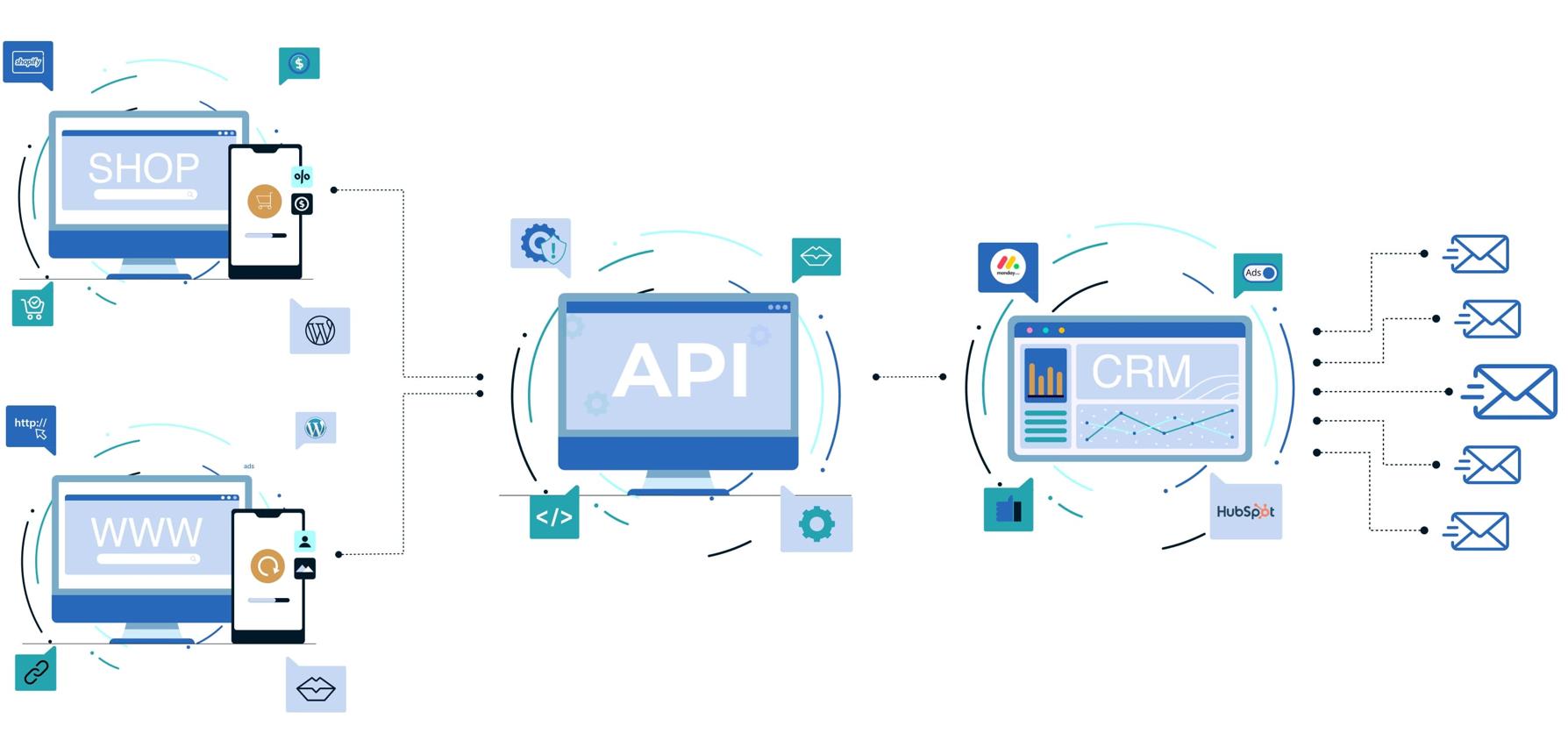
Why Your Business Software Doesn't Talk to Each Other — And How API Integration Fixes It
Your business may already have all the software it needs.
You may have an ERP managing inventory and accounting, a CRM tracking leads, an e-commerce platform processing orders, a payment gateway collecting money, WhatsApp handling customer conversations, and dashboards showing business performance.
So why does your team still spend hours copying information from one system to another?
Because having connected software is not the same as having integrated software.
When your systems operate independently, employees become the connection between them. A salesperson copies a customer from the website into the CRM. An accountant checks a payment gateway and updates the ERP manually. A warehouse employee exports an order list before preparing shipments.
That creates delays, duplicate data, inconsistent records, and unnecessary manual work.
API integration changes this by allowing your systems to exchange information automatically.
For businesses using Odoo alongside other platforms, this can mean connecting CRM systems, e-commerce stores, payment providers, shipping platforms, communication tools, analytics systems, and legacy software into a unified workflow. Code-Ox specifically provides Odoo integration through REST APIs, webhooks, and external systems.
The Real Problem Isn't Too Much Software. It's Too Many Silos.
Imagine an online retailer receiving 200 orders in a day.
The website knows about the orders. The payment gateway knows which customers have paid. The ERP knows what is in stock. The shipping provider knows what has been dispatched. The CRM contains customer information.
But if those platforms are not connected, employees have to move information between them.
The process may look like this:
- Customer places an order on the website.
- Employee checks whether payment was successful.
- Employee enters or imports the order into the ERP.
- Warehouse receives the order information.
- Employee creates the shipment.
- Tracking information is copied back to another system.
- Customer support checks multiple platforms when the customer asks for an update.
Now multiply that process by hundreds or thousands of orders.
The problem is no longer inconvenience. It becomes an operational cost.
What API Integration Actually Does
An API, or Application Programming Interface, provides a structured way for software systems to communicate.
Instead of asking an employee to manually transfer information, one system can send data directly to another system.
For example:
Website → API → Odoo → Inventory → Customer notification
When the customer places an order, the website can send the required order information through an API. Odoo can receive the order, check inventory, create the appropriate records, and trigger the next business process.
The employee does not have to re-enter the same information.
The API becomes the communication layer connecting systems that were previously operating independently.
What Happens When Your Systems Start Talking?
1. Your Website Can Communicate With Your ERP
Consider a business selling products through an online store.
Without integration, the website and ERP may maintain separate product, inventory, customer, and order information.
With integration, the flow can become:
Customer → Website → API → ERP → Inventory → Order Processing
Product availability can be synchronized. Customer details can be transferred automatically. Orders can enter the ERP without manual entry.
Code-Ox currently provides integrations for platforms such as Shopify, WooCommerce, Magento, Salla, and Zid, with synchronization of products, inventory, orders, and customer information depending on the integration.
2. Your CRM Can Communicate With Your ERP
Sales teams often work inside CRM platforms while operations and finance work inside an ERP.
Imagine a sales representative closing a large opportunity.
Without integration, the sales team may need to send the details to another department, which then creates a customer, quotation, sales order, or invoice inside the ERP.
With integration, the process can be automated.
CRM Lead → Qualified Opportunity → Customer Record → ERP Sales Order → Invoice
This reduces duplicate data entry and gives both sales and operations access to consistent information.
For example, Code-Ox supports Salesforce and HubSpot integrations with Odoo for synchronizing customer, lead, opportunity, inventory, and invoicing workflows.
3. Payment Gateways Can Update Your Business Systems
Payment processing is another common source of disconnected data.
Imagine a customer paying for an order through an online payment gateway.
If the payment platform and ERP are disconnected, someone may need to verify the transaction and update the order manually.
An integrated workflow can instead look like:
Customer Payment → Payment Gateway → API/Webhook → ERP → Payment Status Updated
This can reduce reconciliation work and provide a more accurate view of outstanding and completed transactions.
Code-Ox's integration services include payment platforms such as PayPal and support for connecting Odoo with external payment systems.
4. WhatsApp Can Become Part of the Business Workflow
Customer communication often happens outside the ERP.
A customer may ask for an invoice, order status, delivery update, or support response through WhatsApp while the relevant information sits inside Odoo.
Instead of forcing employees to search for information and copy it into WhatsApp, the communication channel can be integrated with the business system.
A possible workflow is:
Customer → WhatsApp → Integration → CRM/ERP → Business Data → Response
Code-Ox provides WhatsApp integration with Odoo for sending invoices, order statuses, and real-time customer communication.
APIs vs Webhooks: What's the Difference?
API integrations and webhooks are often used together, but they solve slightly different communication problems.
API Requests
An API request generally means one system asks another system for information or sends information to it.
For example:
Odoo → API → Shipping Provider
Odoo can send shipment information to the shipping provider and receive the required response.
Webhooks
A webhook allows a system to notify another system when a particular event happens.
For example:
Payment Completed → Webhook → ERP
Instead of repeatedly asking the payment provider whether a transaction has changed, the payment platform can notify the ERP when the event occurs.
This makes event-driven workflows possible and can reduce unnecessary polling.
Code-Ox specifically lists REST APIs and webhooks as part of its Odoo integration capabilities.
What Should You Integrate?
Not every system needs to be connected to every other system.
The better approach is to identify where information is repeatedly transferred manually and where delays or inconsistencies affect the business.
| Business System | Possible Integration | Business Benefit |
|---|---|---|
| Website | ERP / CRM | Automatic orders and customer synchronization |
| CRM | ERP | Lead-to-order workflow automation |
| Payment Gateway | ERP | Automatic payment updates and reconciliation |
| CRM / ERP | Connected customer communication | |
| Shipping Provider | ERP / E-commerce | Automated shipment and tracking updates |
| Analytics Platform | ERP / CRM | Centralized business reporting |
| Legacy System | Modern ERP / Application | Data continuity without replacing everything at once |
These are not hypothetical integration categories. Code-Ox's current integration offering includes e-commerce, payments, shipping, CRM, analytics, cloud services, APIs, and legacy systems.
When an Integration Becomes a Business Advantage
Consider a distribution company with sales representatives, a warehouse, an accounting team, and an online ordering channel.
The sales team receives customer orders through the website and CRM. The warehouse operates through the ERP. Finance manages invoices and payments. Customers receive updates through WhatsApp.
If each department works with separate information, every order can create several manual handoffs.
With the right integration architecture, the same order can move through the business automatically:
Website
↓
CRM
↓
Odoo Sales
↓
Inventory
↓
Payment
↓
Shipping
↓
Customer Notification
Now the same transaction becomes one connected business process rather than several disconnected tasks.
Should You Buy a Connector or Build a Custom Integration?
This is one of the most important decisions when integrating business software.
Use an Existing Connector When:
- Your workflow closely matches the connector's capabilities.
- The data mapping is straightforward.
- You do not have unusual approval or business rules.
- The integration is already maintained for your software versions.
Consider Custom Integration When:
- Your business follows unique workflows.
- Multiple systems need to communicate.
- You need complex data transformation.
- There are custom approval processes.
- Your legacy software has no ready-made connector.
- You need event-driven automation.
- The integration is strategically important to your operation.
A connector can solve a standard problem. Custom API integration is more appropriate when the business process itself is unique.
The Hidden Cost of Poor Integration
The cost of disconnected systems is not limited to employee time.
It can affect the entire operation.
- Duplicate data: The same customer or order may exist differently across platforms.
- Delayed information: Teams may work with yesterday's data instead of current information.
- Human errors: Manual copying creates opportunities for incorrect quantities, prices, statuses, or customer details.
- Slower customer service: Employees may need to search several systems before answering a simple question.
- Limited reporting: Management may not have one reliable view of business performance.
- Operational bottlenecks: Employees become the bridge between software platforms.
The most expensive part of an integration problem is often the work nobody considers an integration problem: repeated data entry, reconciliation, checking, correcting, and chasing information.
Integration Is More Than Connecting Two Systems
A successful integration requires more than making two APIs communicate.
The architecture needs to answer important questions:
- Which system owns each piece of data?
- What happens when data is updated?
- What happens when an API fails?
- Should failed requests be retried?
- How are duplicate records prevented?
- How is authentication handled?
- How are sensitive customer and payment details protected?
- How are integration errors monitored?
- How will the integration scale as transaction volume increases?
For example, if an e-commerce order is successfully created on the website but the ERP API temporarily fails, simply showing an error is not enough. A robust integration needs a strategy for retries, logging, reconciliation, and preventing duplicate orders.
That is why integration architecture should be designed around the business process, not just the API documentation.
How Code-Ox Approaches Business Integration
Code-Ox approaches integration as part of the wider business architecture rather than treating it as a standalone connection.
The company's current integration services cover CRM and ERP synchronization, API connectivity, automation pipelines, real-time reporting, payment gateways, e-commerce platforms, analytics systems, shipping services, and legacy systems.
For Odoo environments, Code-Ox provides integration with third-party tools and existing systems using technologies including REST APIs, webhooks, IoT, and EDI.
A typical integration project can therefore begin with the business workflow rather than with a specific API.
Step 1 — Map the workflow
Identify where information starts, where it needs to go, and which teams depend on it.
Step 2 — Identify the source of truth
Decide which platform owns customers, products, orders, payments, inventory, or other critical records.
Step 3 — Define the data flow
Map fields, transformations, triggers, API requests, and responses.
Step 4 — Build the integration
Connect systems through APIs, webhooks, connectors, or custom middleware where required.
Step 5 — Handle failure scenarios
Build logging, retries, validation, duplicate prevention, and error handling.
Step 6 — Test the real workflow
Test successful transactions as well as failed payments, unavailable inventory, duplicate requests, API downtime, and incomplete data.
Step 7 — Monitor after launch
An integration should remain observable after deployment so issues can be detected before they become operational problems.
Do You Actually Need API Integration?
Ask your team a few simple questions:
- Do employees enter the same customer information in multiple systems?
- Are orders exported from one platform and imported into another?
- Does someone manually update payment status?
- Does customer support need to check several systems before answering customers?
- Are reports assembled manually from different platforms?
- Does your warehouse wait for another team to send updated order information?
- Are employees spending hours reconciling information between systems?
If several answers are yes, the problem may not be that your team needs another software platform.
You may need the platforms you already use to communicate with each other.
Your Business Doesn't Need More Software. It Needs Better Connections.
Digital transformation does not always mean replacing your existing systems.
Sometimes the smarter move is to connect them.
Your CRM can remain your sales workspace. Your ERP can remain the operational backbone. Your website can remain your customer-facing platform. Your payment provider can continue processing transactions. Your analytics platform can continue powering management reports.
API integration can connect these systems so information moves between them automatically.
That means fewer manual tasks, fewer data silos, faster workflows, and a more consistent view of the business.
And as your operation grows, a connected architecture can make it easier to add new platforms without rebuilding the entire business process.
Ready to Connect Your Business Systems?
If your CRM, ERP, website, payment gateway, communication tools, or legacy applications are operating as separate islands, Code-Ox can help map the gaps and design an integration strategy around your actual workflow.
From Odoo API integrations and e-commerce synchronization to payment gateways, CRM connectivity, WhatsApp workflows, shipping systems, analytics, and legacy applications, Code-Ox builds integrations designed around how businesses actually operate.
Don't add another system to your technology stack until you've connected the ones you already have.
Talk to Code-Ox about building a connected business workflow.