.svg)
A Booking Is Only the Beginning: Building Appointment Workflows That Respect Time, People, and Capacity
Reported By
code
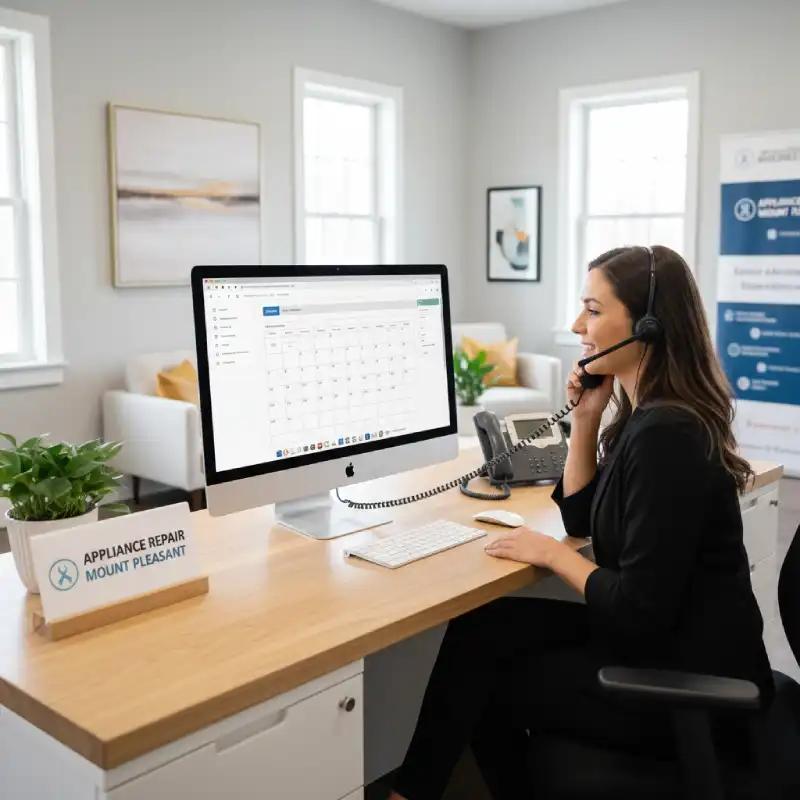
A Booking Is Only the Beginning: Building Appointment Workflows That Respect Time, People, and Capacity
Getting a customer to book an appointment sounds simple.
Until the business has 20 employees, several rooms, limited equipment, different service durations, cancellations, rescheduling requests, and customers who expect reminders before they arrive.
Then an appointment stops being just a calendar entry.
It becomes a resource-allocation problem.
A customer wants a convenient time. An employee needs to be available. A room or piece of equipment may already be occupied. The business needs to avoid double bookings. And once the appointment is confirmed, someone needs to make sure the customer actually remembers it.
Code-Ox's Odoo Appointments implementation is designed around these operational requirements, with online booking, resource management, and automated SMS and email reminders.
The Customer Sees a Time Slot. The Business Sees a Resource
Suppose a clinic offers 30-minute consultations.
A customer sees:
Tuesday, 3:00 PM — Available
The business sees something much more complicated.
Is the right employee available?
Is the required room free?
Does another appointment already occupy that resource?
Does the employee have another commitment immediately afterward?
A booking system has to reconcile the customer's preferred time with the business's actual capacity.
Availability Has to Mean Something
An appointment slot is only genuinely available when the resources required to deliver the service are available.
That is why resource management matters.
The Odoo Appointments workflow can assign specific employees or equipment to appointment slots, helping businesses manage availability around the resources required for the appointment.
Code-Ox can implement and customize that workflow around the organization's actual scheduling rules.
A Calendar Can Tell You When. It Cannot Always Tell You Why.
Imagine a salon with six stylists and four treatment rooms.
A basic shared calendar may show several appointments at 2:00 PM.
But that does not necessarily mean the business can accept another booking at 2:00 PM.
The appointment might require a particular stylist, a specific room, or equipment that is already being used.
Schedule Around the Real Constraint
Resource-based appointment management considers the people and equipment required to deliver the service.
This changes the question from:
“Is there an empty time on the calendar?”
to:
“Can we actually deliver this service at that time?”
That distinction becomes increasingly important as appointment-based businesses grow.
Online Booking Changes the First Conversation With the Customer
Consider a customer who wants to schedule a consultation at 10:30 PM.
The business is closed.
There is no employee available to answer the phone.
Without online booking, the customer has to wait until someone is available.
With online scheduling, the customer can choose from the available appointment options without waiting for an employee to respond.
Let Customers Book When the Business Is Closed
Online booking moves the first scheduling interaction from the employee's inbox or phone to the customer's screen.
Customers can select an available meeting or service directly from the website.
Code-Ox's Appointments implementation includes online booking so customers can schedule meetings or services directly through the website.
The important part is that the online booking process should reflect the same availability rules used internally.
The Website Should Not Offer a Slot the Team Cannot Deliver
An online calendar is useful only when the availability shown to customers is trustworthy.
If the website accepts bookings for times when the employee is unavailable, the business has simply moved the scheduling problem from the receptionist to the customer.
That creates a particularly frustrating experience.
Public Availability Should Reflect Internal Capacity
The booking interface should be connected to the underlying appointment and resource schedule.
That way, a customer sees appointment options based on actual availability rather than an independently maintained list of time slots.
This is one of the main reasons appointment scheduling works better when it is part of the business system rather than a separate calendar.
One Appointment Can Reserve More Than One Thing
Imagine a photography studio offering a two-hour portrait session.
The appointment requires:
- A photographer
- A studio room
- Lighting equipment
- A specific time window
Making the photographer available does not automatically make the appointment possible.
The studio and equipment have to be available too.
Resources Need to Be Part of the Booking
Appointment resource management allows the scheduling process to account for the people or equipment required for a particular service.
Odoo's Appointments functionality supports assigning specific employees or equipment to appointment slots.
Code-Ox can configure that model around the business's own resource rules instead of forcing the company to maintain a separate equipment calendar.
Double Booking Is Usually a Data Problem
Two customers do not normally book the same appointment intentionally.
Double bookings often happen because different employees are working from different versions of availability.
The receptionist sees one calendar.
The salesperson sees another.
The website has a third set of available slots.
Someone updates one system but forgets another.
One Schedule Should Be the Source of Truth
A connected appointment workflow gives the business one place to manage availability and appointment information.
Online bookings can then become part of the same scheduling environment used by the internal team.
The objective is not simply to create more bookings.
It is to create bookings that the organization can actually fulfill.
The Customer Has Booked. Now the Business Has to Remember
Booking confirmation is not the end of the customer journey.
People forget appointments.
Schedules change.
Emails get buried.
A customer may make a booking three weeks in advance and completely forget about it by the day of the appointment.
Reminders Are Part of the Appointment
Automated reminders can give customers another opportunity to see the appointment details before they need to attend.
Odoo Appointments supports automated SMS and email notifications designed to reduce no-shows.
Code-Ox can configure the reminder workflow according to the business's communication requirements.
A Reminder Should Arrive Before It Becomes Useful
Sending a reminder five minutes before an appointment is technically a reminder.
It is not necessarily a useful one.
If the customer needs to travel 45 minutes, arrange parking, prepare documents, or reschedule another commitment, the reminder needs to arrive early enough to matter.
Timing Is Part of the Workflow
Automated communication should be connected to the appointment schedule so reminders are triggered based on the appointment time rather than someone remembering to send them manually.
This removes a repetitive task from the front desk while giving customers a predictable communication experience.
No-Shows Are More Expensive Than an Empty Calendar Cell
Consider a consultant whose working day contains eight one-hour appointments.
If one customer does not show up, the business does not simply lose one hour.
That hour could have been used for another customer, internal work, or another revenue-generating activity.
Across a busy appointment-based business, repeated no-shows can create a significant capacity problem.
Use the Appointment System to Protect Capacity
Reminder automation does not guarantee attendance.
What it does is remove one avoidable reason for customers forgetting the appointment.
That makes automated communication a capacity-management tool, not merely a marketing feature.
Rescheduling Should Not Create a Second Booking
A customer calls and says:
“I cannot make Thursday at 3:00 PM. Can we move it to Friday?”
The business now has two pieces of information to manage:
The old appointment needs to be changed.
The new appointment needs to be scheduled.
If someone simply creates the new appointment and forgets to properly update the old one, the calendar becomes inaccurate.
The Schedule Needs to Reflect the Current Commitment
Appointment management should treat rescheduling as a change to the customer's existing commitment rather than creating disconnected calendar entries.
This preserves a clearer history of what was booked and what the customer ultimately selected.
Different Services Need Different Appointment Rules
A 15-minute consultation is not the same as a two-hour installation.
A remote meeting is not the same as an on-site inspection.
A one-person appointment is not the same as a service requiring a technician and a piece of equipment.
If every service uses the same scheduling rule, the calendar will eventually misrepresent the real capacity of the business.
Build the Schedule Around the Service
Appointment workflows can be configured around the duration, employee, equipment, and availability requirements of the service being booked.
This lets the business expose appointment options that correspond more closely to how the service is actually delivered.
Code-Ox's role is to implement and customize the Odoo workflow so those rules fit the organization's operating model rather than remaining a generic scheduling setup.
Appointment Data Should Not Stop at the Calendar
A customer appointment is usually connected to other business information.
The customer may already exist in the CRM.
The service may generate an invoice.
The employee may need to prepare something before the meeting.
The appointment may lead to a sales opportunity.
The customer may need follow-up afterward.
If the appointment exists only inside a scheduling application, those connections have to be recreated manually.
Make the Appointment Part of the Customer Record
When appointment information is part of the wider Odoo environment, scheduling can become one stage in a larger customer workflow.
That means the business does not have to treat every appointment as an isolated event.
It becomes another interaction within the customer's history.
The Receptionist Should Not Be the Integration Layer
This happens in many businesses:
The customer books online.
The receptionist copies the information into another system.
The accountant receives a message when payment is required.
The employee receives a separate calendar invitation.
The manager checks another report.
The receptionist has effectively become the system connecting all the other systems.
Connect the Workflow Instead
The point of an integrated appointment system is to let information move between business processes without requiring employees to repeatedly copy it.
Code-Ox provides Odoo integration services using APIs, webhooks, IoT, and EDI where required.
That can be valuable when appointment scheduling needs to work alongside other business applications rather than replacing them completely.
Appointment Scheduling Can Also Feed Sales
Imagine a potential customer books a consultation through the website.
The appointment is not necessarily the end goal.
It may be the first serious interaction before a quotation or sale.
If the appointment remains isolated from the customer and sales records, the sales team has to reconstruct the context manually.
Turn Meetings Into Customer Intelligence
When appointments are connected to the wider customer workflow, the organization can treat scheduled meetings as part of the sales or service journey.
The appointment becomes an event with business context rather than simply a time slot.
Resource Planning Becomes More Important as the Business Grows
A business with three employees can often coordinate appointments manually.
A business with 30 employees, multiple locations, shared equipment, and hundreds of weekly appointments has a different problem.
At that point, resource availability becomes a planning challenge.
Growth Creates Scheduling Complexity
More employees create more availability combinations.
More services create more scheduling rules.
More locations create more constraints.
More customers create more changes and cancellations.
The appointment system needs to absorb that complexity without making the booking experience equally complicated for the customer.
A Connected Appointment Workflow in Practice
Consider a consulting company that wants prospects to book 45-minute consultations through its website.
- Customer visits the booking page: Available consultation slots are presented.
- Availability is checked: The appointment is matched against the required employee or resource.
- Customer selects a slot: The appointment is created without a manual phone call.
- Confirmation is sent: The customer receives the appointment information.
- Reminder is scheduled: Automated email or SMS communication is prepared for the appropriate time.
- Employee sees the appointment: The internal schedule reflects the new commitment.
- Appointment takes place: The consultation is delivered at the agreed time.
- Customer record is updated: The appointment remains part of the wider business history.
- Next action begins: Follow-up, quotation, service, or another business process can continue from the appointment.
There is no separate “website booking process” and “internal appointment process.”
There is one workflow viewed from different sides.
Where Code-Ox Fits Into the Odoo Appointments Implementation
Odoo Appointments provides the scheduling foundation.
Code-Ox's role is to make that foundation work within the actual business environment.
That can include implementation, configuration, customization, migration, training, integration, and ongoing support. The Code-Ox Appointments page specifically highlights rollout, migration, training, and ongoing Odoo support.
Code-Ox also provides full-cycle Odoo implementation and customization across areas such as workflows, modules, reports, integrations, and migration.
That matters because the correct appointment workflow depends heavily on the business.
A beauty salon may care about rooms and stylists.
A consulting company may care about employee availability.
A training company may need instructors and classrooms.
A service business may need technicians and equipment.
A healthcare organization may have more complex resource and scheduling requirements.
The underlying appointment concept is similar.
The operational rules are not.
Don't Automate a Broken Booking Process
Putting online booking in front of a poorly organized scheduling process does not solve the underlying problem.
It simply allows customers to interact with the problem faster.
Before automating appointments, the business should understand:
- Which services can be booked
- How long each service takes
- Which employees can deliver each service
- Which equipment or rooms are required
- How much availability should be exposed online
- How cancellations and rescheduling should work
- When reminders should be sent
- What happens after the appointment
Once those rules are clear, the technology has something useful to automate.
The Best Appointment Experience Is Almost Invisible
The customer should not need to understand how the scheduling system works.
They should simply see appropriate times, choose one, receive confirmation, and get a reminder.
Behind that simple experience, the business may be coordinating employees, rooms, equipment, schedules, customer records, and follow-up actions.
That complexity belongs in the system.
Not in the customer's experience.
From “Book a Time” to “Deliver the Right Service”
Appointment software is often evaluated by how easy it makes booking.
That is only half the story.
The real test is what happens after the customer clicks Book.
Is the right employee available?
Is the necessary resource available?
Does the customer receive useful communication?
Does the team know what is coming?
Can the business continue the customer journey after the appointment?
If the answer is yes, the appointment is doing more than filling a calendar.
It is moving the business forward.
Build Appointment Scheduling Around the Way Your Business Actually Operates
Odoo Appointments provides the foundation for online booking, resource assignment, and automated reminders.
Code-Ox can help adapt that foundation to the actual scheduling rules, resources, customer journey, and connected systems of the business.
Whether appointments are the core service or simply the first step toward a larger customer relationship, the workflow should be designed around what happens before, during, and after the booking.
If your team is still coordinating appointments through calls, spreadsheets, separate calendars, and manual reminders, it may be time to connect the entire booking process.
Talk to Code-Ox about implementing and customizing Odoo Appointments around your employees, resources, services, customers, and scheduling rules.