.svg)
AI Agents vs AI Chatbots: What's the Difference and Which Does Your Business Need?
AI Agents vs AI Chatbots: What's the Difference and Which Does Your Business Need?
AI chatbots and AI agents are often discussed as if they are interchangeable. They are not.
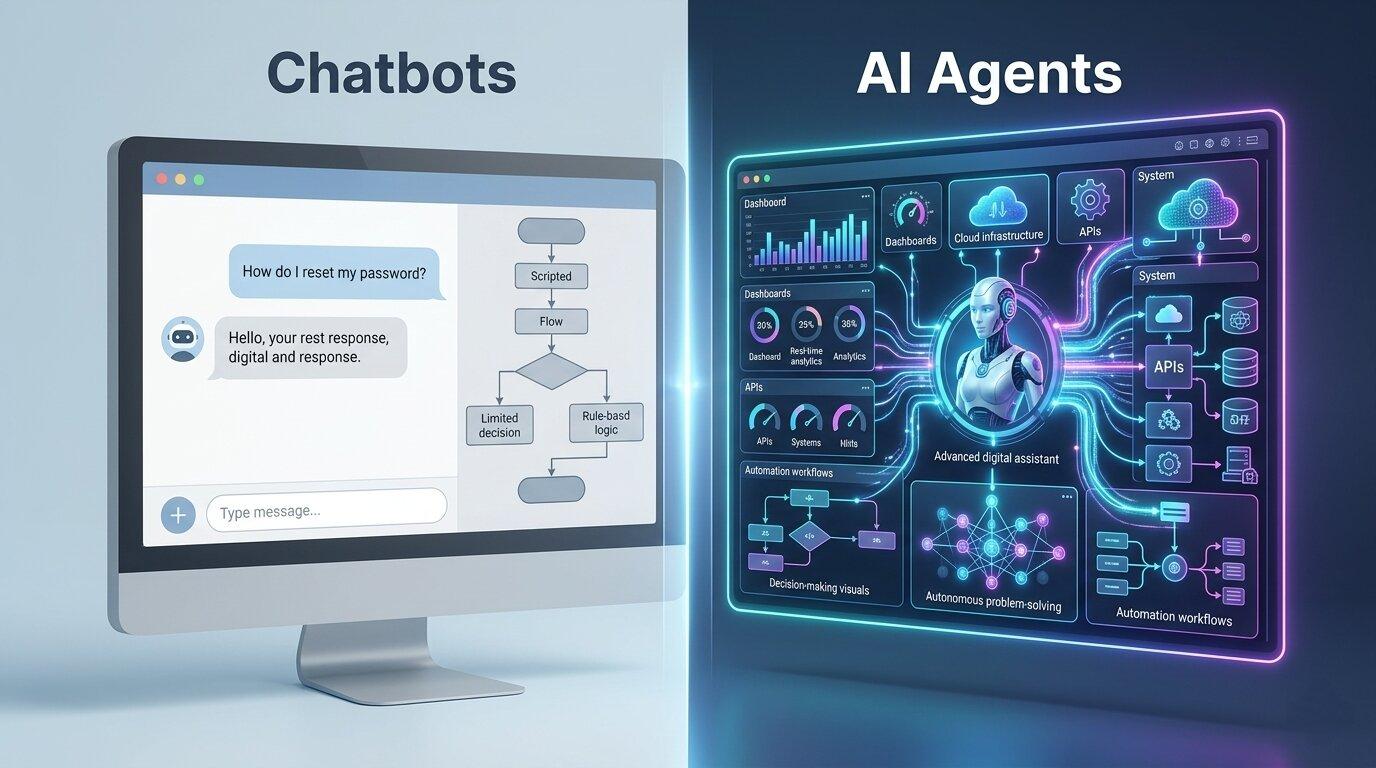
An AI chatbot is primarily designed to communicate with users. An AI agent is designed to reason about a task, decide what needs to happen, use available tools, and work toward an outcome.
That distinction matters for businesses.
If a customer asks, “What are your business hours?”, a chatbot can answer the question immediately. But if a customer says, “My order has been delayed. Find the order, check its current status, contact the delivery service, and tell me what I should do next,” the system needs considerably more than conversational ability.
It needs access to business systems, the ability to perform actions, rules for deciding what to do, and mechanisms for handling failures.
That is where AI agents become valuable.
AI Chatbots vs AI Agents at a Glance
| Capability | AI Chatbot | AI Agent |
|---|---|---|
| Primary purpose | Conversation and information | Completing tasks and achieving goals |
| User interaction | Question and answer | Conversation plus task execution |
| Decision-making | Usually limited | Can reason through multi-step tasks |
| Tool usage | May have limited integrations | Can use APIs, databases and business tools |
| Autonomy | Generally low | Can operate with greater autonomy within defined boundaries |
| Workflow execution | Usually limited to predefined flows | Can coordinate multiple steps |
| Best suited for | FAQs, support and basic assistance | Operations, automation and complex workflows |
What Is an AI Chatbot?
An AI chatbot is a conversational system that interacts with users through natural language.
Modern AI chatbots can understand questions, maintain conversational context, retrieve information, summarize documents, and generate natural responses.
A customer support chatbot, for example, might answer:
- “What is your return policy?”
- “How long does delivery take?”
- “Where can I find my invoice?”
- “What documents do I need?”
With a knowledge base or retrieval-augmented generation system, the chatbot can also ground its answers in company-specific information rather than relying entirely on general model knowledge.
The defining characteristic is that the chatbot's primary job is interaction.
What Is an AI Agent?
An AI agent goes beyond conversation.
An agent can receive a goal, determine the steps required to accomplish it, interact with external tools, evaluate results, and continue until the task is completed or requires human intervention.
For example, consider an employee asking:
“Find all overdue invoices from this month, identify the customers with the highest outstanding balances, prepare reminder emails, and send them for approval.”
A conversational chatbot could explain how to perform these tasks.
An AI agent could potentially:
- Query the accounting system.
- Identify overdue invoices.
- Calculate outstanding balances.
- Rank the customers.
- Generate appropriate reminder messages.
- Send the drafts to a manager for approval.
The important difference is that the agent is not simply describing the workflow. It is participating in the workflow.
The Key Difference: Answering vs Acting
The simplest way to understand the distinction is this:
A chatbot primarily helps you find or understand information. An AI agent can help you accomplish something with that information.
Suppose a sales representative asks:
“Which customers haven't been contacted in the last 30 days?”
A chatbot might return a list.
An agent could go further:
- Retrieve the customer records.
- Check recent activities.
- Identify customers without recent contact.
- Segment them by priority.
- Draft personalized follow-up messages.
- Create CRM activities.
- Notify the sales representative.
The distinction is not simply intelligence. It is the ability to connect intelligence with tools, context, decisions and actions.
How AI Agents Work
An AI agent typically combines several components rather than relying on an AI model alone.
A practical architecture can include:
- Language model: Understands instructions and generates reasoning or responses.
- Context: Provides relevant business information and conversation history.
- Tools: APIs, databases, search systems and business applications the agent can interact with.
- Planning: Breaks a larger objective into smaller actions.
- Memory: Maintains information required across interactions where appropriate.
- Guardrails: Restrict actions and enforce business rules.
- Human approval: Allows sensitive actions to require confirmation.
For example:
User Goal
   ↓
AI Agent
   ↓
Understand → Plan → Use Tools → Evaluate Result
                     ↓
        CRM / ERP / Database / APIs
                     ↓
                Business Action
The exact architecture varies depending on the application, but the important concept is that an agent sits between natural-language intent and operational systems.
AI Chatbots Can Also Use Tools
This distinction should not be treated as absolute.
A modern chatbot can be connected to APIs, search systems, databases, ticketing platforms, or CRM software.
Likewise, an AI agent can communicate conversationally.
The difference is therefore better understood as a spectrum of capability and autonomy rather than two completely isolated technologies.
A useful progression is:
- Conversational chatbot — answers questions.
- Knowledge assistant — retrieves and explains company information.
- Tool-enabled assistant — can perform selected actions.
- AI agent — can plan and coordinate multi-step tasks within defined boundaries.
- Agentic workflow — multiple AI-driven processes cooperate with business systems and human oversight.
This distinction helps businesses avoid labeling every AI assistant as an “agent.”
Customer Support: Chatbot or Agent?
Customer support is one of the easiest places to see the difference.
Chatbot Scenario
A customer asks:
“How long does it take to process a refund?”
The chatbot searches the company's support knowledge and provides the relevant answer.
There may be no need for an agent.
Agent Scenario
Another customer says:
“My order arrived damaged. Check my order, verify the purchase, create a support case, request the required evidence, and arrange the appropriate next step.”
An agent could potentially coordinate those actions across the order system, CRM, helpdesk, and communication channels.
That is a fundamentally different workload from answering a question.
Sales: From Lead Qualification to Action
AI agents can also extend beyond customer support.
Imagine a new lead arrives through a website form.
A chatbot can answer the visitor's questions and collect contact information.
An AI agent could potentially:
- Analyze the lead information.
- Enrich the company profile using approved data sources.
- Classify the lead.
- Check CRM history for previous interactions.
- Assign a priority.
- Create a CRM opportunity.
- Schedule a follow-up task.
- Prepare a personalized sales briefing.
Human sales staff can then focus on the conversations where their judgment adds the most value.
Internal Business Operations
Some of the most valuable AI agent applications are not customer-facing.
Consider an operations team that receives dozens of requests every day.
An employee might ask:
“Find purchase orders waiting for approval and summarize anything that exceeds the department budget.”
A traditional chatbot could explain where to find the information.
An agent connected to the relevant business systems could retrieve the records, analyze them, identify exceptions, and prepare a summary.
With appropriate permissions, it could also initiate the next workflow step.
AI Agents and Business Systems
The real value of an AI agent often comes from what it can access.
An agent that cannot interact with business systems may be intelligent but operationally limited.
Useful integrations can include:
- CRM platforms
- ERP systems
- Helpdesk software
- Accounting systems
- HR platforms
- Project management tools
- Databases
- Internal knowledge bases
- Email systems
- Third-party APIs
For example, an AI agent integrated with an ERP can potentially move from a natural-language request to a business workflow without requiring the employee to manually navigate multiple screens.
Why AI Agents Need Guardrails
More autonomy does not automatically mean better automation.
If an AI system can perform real business actions, organizations need clear boundaries around what it is allowed to do.
Important controls can include:
- Role-based permissions
- Approval workflows
- Action limits
- Audit logs
- Input and output validation
- Restricted tool access
- Human escalation
- Monitoring and evaluation
For example, an agent might be allowed to draft a customer refund but require a human manager to approve the actual transaction.
This creates a practical balance between automation and control.
AI Chatbots Are Still Valuable
The rise of AI agents does not make chatbots obsolete.
Many business interactions do not require autonomous task execution.
If a customer wants to know your opening hours, asking an AI agent to inspect multiple systems and execute a workflow would be unnecessary complexity.
A fast, reliable chatbot is the better solution.
Chatbots remain particularly useful for:
- Frequently asked questions
- Website assistance
- Basic customer support
- Knowledge access
- Product information
- Lead capture
- Simple conversational workflows
When Your Business Needs an AI Agent
An AI agent becomes more compelling when the problem involves multiple steps, systems, decisions, or actions.
Consider an agent when employees repeatedly perform workflows such as:
- Collecting information from several systems.
- Analyzing records before taking action.
- Moving information between applications.
- Following repetitive decision rules.
- Preparing documents or communications.
- Monitoring events and triggering workflows.
- Handling large volumes of operational requests.
If the problem can be solved with a simple answer, you probably need an assistant or chatbot.
If the problem requires the system to observe, decide, act and verify, an agent may be more appropriate.
When an AI Agent Is Not the Right Choice
Not every automation problem needs an autonomous AI system.
Traditional software automation may be better when the workflow is completely deterministic.
For example, if a rule says:
“When an invoice is paid, automatically update its status to Paid.”
There is little reason to introduce an AI agent.
A conventional workflow rule will be faster, cheaper, more predictable, and easier to audit.
AI becomes more useful when the workflow requires interpretation, unstructured information, natural-language understanding, or decisions that cannot easily be represented with fixed rules.
AI Agents vs Traditional Automation
| Approach | Best suited for |
|---|---|
| Traditional automation | Predictable rules and deterministic workflows |
| AI chatbot | Conversation and information access |
| AI assistant | Guided help and selected actions |
| AI agent | Multi-step tasks and adaptive workflows |
The strongest business architectures often combine these approaches rather than replacing one with another.
How to Choose the Right AI Approach
Before investing in an AI agent, ask a few practical questions.
- Does the user primarily need information or an outcome?
- Does the workflow involve multiple steps?
- Does the system need access to business applications?
- Are decisions based on unstructured information?
- Can the actions be safely automated?
- Which actions require human approval?
- How will the system be monitored?
- What happens when the AI makes an uncertain decision?
The answers will often reveal whether you need a chatbot, an assistant, an agent, traditional automation, or a combination of them.
How Code-Ox Builds AI-Powered Business Solutions
At Code-Ox Technologies LLP, AI is approached as part of a broader business system rather than simply adding a chatbot to a website.
Depending on the use case, an AI solution can combine conversational interfaces, retrieval-augmented generation, business data, APIs, workflow automation, dashboards, and human approval mechanisms.
For example, a business may start with an AI knowledge assistant that answers internal questions. As the workflow becomes clearer, it can be connected to CRM, ERP, helpdesk, or other systems to perform specific actions.
This allows automation to grow alongside the organization's processes instead of introducing unnecessary autonomy from day one.
The goal is not to make every business process autonomous. It is to identify where AI can remove repetitive work, improve decision-making, and help people complete important tasks faster.
Final Verdict: AI Agent or AI Chatbot?
Choose an AI chatbot when your primary requirement is conversation, information retrieval, customer assistance, or simple guided interactions.
Consider an AI agent when the system needs to interpret a goal, work through multiple steps, use business tools, make bounded decisions, and take actions.
And in many real-world businesses, the answer is not one or the other.
A chatbot can become the conversational interface, while AI agents operate behind it to complete tasks. Traditional automation can handle deterministic processes, while humans remain responsible for decisions that require judgment or accountability.
The most effective AI architecture is therefore not the one with the most autonomy. It is the one that puts the right level of intelligence and automation at the right point in the business workflow.