.svg)
Mobile App Security Best Practices: How to Build Secure Mobile Applications in 2026
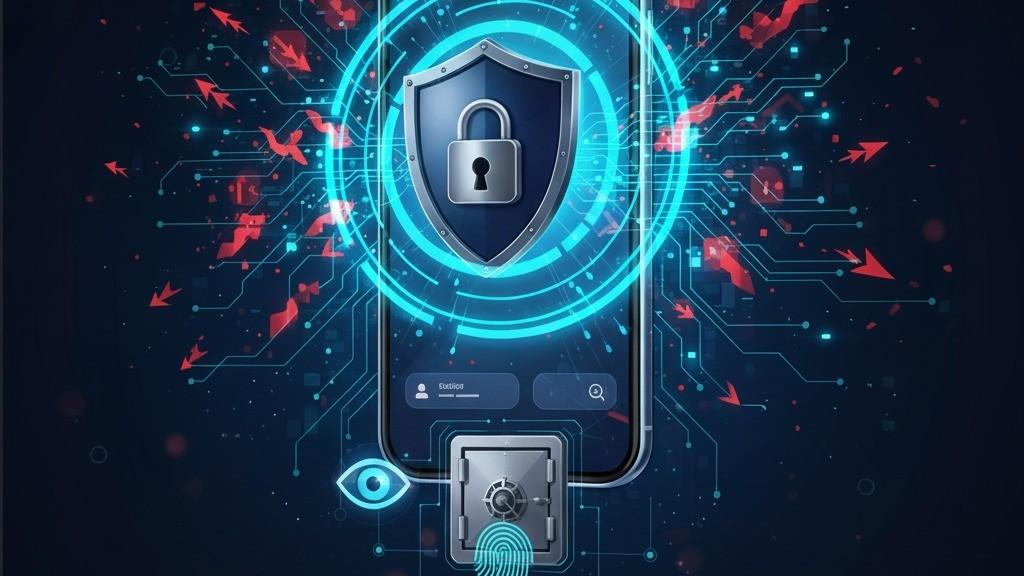
Mobile applications handle some of the most valuable information in modern digital ecosystems, including personal details, authentication credentials, payment information, business data, location data, and private communications.
As mobile applications become more connected to cloud services, APIs, third-party SDKs, payment platforms, and enterprise systems, security needs to be considered throughout the entire development lifecycle.
Mobile app security is not simply about adding encryption or authentication at the end of development. A secure application requires secure architecture, protected data storage, safe network communication, strong authentication, appropriate permissions, secure coding practices, and continuous security testing.
The OWASP Mobile Application Security Verification Standard (MASVS) provides an industry-standard baseline for assessing mobile application security across areas such as storage, cryptography, authentication, network communication, platform interaction, code quality, resilience, and privacy.
In this guide, we explore the most important mobile app security best practices businesses and development teams should consider in 2026.
Why Is Mobile App Security Important?
Mobile devices contain sensitive information and are frequently used to access important online services. A compromised application can potentially expose user data, authentication sessions, business information, or transactions.
Mobile applications also operate within a larger ecosystem that can include:
- Mobile operating systems
- Backend APIs
- Cloud infrastructure
- Third-party SDKs
- Payment services
- Analytics platforms
- Identity providers
- Bluetooth and IoT devices
- Web services
Security therefore needs to cover the entire application ecosystem rather than only the mobile client.
1. Follow a Secure-by-Design Approach
Security should be considered during application planning and architecture instead of being treated as a final testing step.
Development teams should identify sensitive data, potential attackers, trust boundaries, external dependencies, and critical application functions before implementation begins.
Threat modeling can help teams identify risks such as:
- Unauthorized account access
- Data leakage
- API abuse
- Credential theft
- Man-in-the-middle attacks
- Reverse engineering
- Application tampering
- Insecure third-party integrations
OWASP recommends secure architecture, threat modeling, least privilege, and defense-in-depth as important foundations for mobile application security.
2. Protect Sensitive Data on the Device
Mobile applications often store information locally to improve performance or support offline functionality.
However, sensitive information should not be stored casually in application files, logs, caches, or other locations where it could be unnecessarily exposed.
Examples of sensitive information include:
- Authentication tokens
- Personal information
- Payment-related data
- Private messages
- API credentials
- Business information
- Encryption keys
Use secure platform-provided storage mechanisms where appropriate, minimize stored sensitive information, and define how data should be protected during backups and device transfers.
OWASP's mobile security model specifically includes secure storage and privacy as major areas of mobile security.
3. Use Strong Authentication
Authentication determines whether a user is allowed to access an account or protected resource.
Modern mobile applications should consider strong authentication methods appropriate to their risk level.
Depending on the application, authentication may include:
- Strong passwords
- Multi-factor authentication
- Passkeys
- Biometric authentication
- Federated sign-in
- Device-based authentication
Android's current security guidance recommends using Credential Manager to provide a unified authentication experience for passkeys, passwords, and federated sign-in options. Biometric authentication can also provide an additional layer of protection for sensitive applications.
4. Implement Proper Authorization
Authentication answers the question, "Who are you?"
Authorization answers, "What are you allowed to access?"
A secure application should never assume that a logged-in user automatically has permission to access every resource.
Authorization should be enforced on the backend for sensitive operations.
For example, an employee application should ensure that a normal employee cannot access administrative functions simply by modifying an API request or changing a parameter in the mobile application.
5. Secure Network Communication
Mobile applications frequently communicate with backend servers and APIs.
These communications should be protected using secure transport mechanisms such as HTTPS/TLS.
Developers should also:
- Validate server certificates correctly
- Avoid transmitting sensitive information over insecure connections
- Protect authentication tokens
- Use secure API endpoints
- Validate server responses
- Avoid exposing unnecessary API information
Secure network communication is one of the dedicated control areas in OWASP MASVS. Android's security guidance also emphasizes protecting application communication and secure interaction with other applications.
6. Minimize App Permissions
Mobile operating systems provide permission systems that control access to sensitive device capabilities and user data.
Applications should request only the permissions they actually need.
Examples include:
- Camera
- Microphone
- Location
- Contacts
- Photos and media
- Bluetooth
- Notifications
Requesting unnecessary permissions increases privacy and security risk and can reduce user trust.
Android's current guidance recommends minimizing permissions and requesting only the smallest set necessary for the application's functionality.
7. Never Hardcode Secrets in the App
Developers should avoid embedding sensitive secrets directly into mobile application source code or easily extractable application resources.
Examples include:
- API secret keys
- Private encryption keys
- Database passwords
- Cloud service credentials
- Administrative credentials
Mobile applications can be inspected and reverse-engineered, so anything shipped inside the client should not be treated as a permanent secret.
Whenever possible, sensitive operations should be performed through secure backend services with appropriate authentication and authorization.
8. Validate All Untrusted Input
Data received by a mobile application should be treated as untrusted.
Input can originate from:
- User forms
- Network responses
- Deep links
- Files
- Other applications
- WebViews
- External devices
Applications should validate and sanitize untrusted data before processing it.
OWASP MASVS specifically includes input validation and sanitization as a security control because untrusted input can contribute to injection attacks, insecure deserialization, and security-control bypasses.
9. Secure APIs and Backend Services
A mobile application is only as secure as the services behind it.
Backend APIs should implement their own security controls rather than trusting the mobile application to enforce them.
Important API security practices include:
- Strong authentication
- Server-side authorization
- Input validation
- Rate limiting
- Secure session management
- Proper error handling
- API monitoring
- Audit logging
OWASP notes that mobile applications frequently communicate with backend services and that those remote endpoints need their own appropriate security controls.
10. Keep Third-Party SDKs Updated
Modern mobile applications often depend on third-party libraries and SDKs for analytics, payments, authentication, advertising, maps, messaging, and other features.
These dependencies can introduce security risks if they contain vulnerabilities or are no longer maintained.
Development teams should:
- Maintain an inventory of dependencies
- Monitor security advisories
- Remove unnecessary libraries
- Update dependencies regularly
- Evaluate third-party SDK permissions
- Review the security practices of critical vendors
OWASP highlights third-party SDKs as an important part of the mobile application ecosystem and recommends evaluating their security implications.
11. Protect Against Reverse Engineering and Tampering
Mobile applications are distributed to user-controlled devices. Attackers may attempt to inspect application packages, analyze code, modify application behavior, or create tampered versions.
Depending on the application's risk profile, teams can consider appropriate resilience measures such as:
- Code obfuscation
- Application integrity checks
- Secure signing
- Runtime protection
- Root or jailbreak risk assessment
- Tamper detection
These techniques should be considered defense-in-depth rather than a replacement for secure architecture and backend security.
OWASP MASVS includes resilience against reverse engineering and tampering as one of its security control areas.
12. Disable Debugging in Production
Debugging features are useful during development but should not remain unnecessarily enabled in production builds.
Production applications should use appropriate release configurations and avoid exposing sensitive debugging information.
For Android applications, OWASP's current mobile security best-practice catalog includes disabling the debuggable flag and removing logging code where appropriate.
13. Avoid Sensitive Information in Logs
Logs are useful for diagnosing application problems, but they can accidentally expose sensitive information.
Developers should avoid logging:
- Passwords
- Authentication tokens
- Private keys
- Payment information
- Personal information
- Session identifiers
Production logging should be carefully designed so that useful diagnostic information is available without unnecessarily exposing sensitive data.
14. Secure WebViews and Deep Links
Applications that use WebViews or deep links should carefully validate what content and destinations they can access.
Developers should avoid allowing untrusted content to access sensitive application resources and should validate external URLs and deep-link parameters.
WebViews can introduce additional security considerations, particularly when JavaScript, local resources, authentication data, or untrusted content are involved.
OWASP's mobile security best practices specifically address secure WebView configuration and related risks.
15. Keep the Mobile Platform Up to Date
Application security also depends on the underlying operating system.
Developers should avoid unnecessarily supporting outdated platform versions when doing so leaves users exposed to known security weaknesses.
OWASP identifies using an up-to-date platform version as an important mobile security practice because newer operating system versions include security fixes and protections.
16. Use Application Integrity Protection
For applications where fraud and tampering are significant risks, platform integrity services can provide additional protection.
For example, Android's Play Integrity API can help a backend assess whether requests originate from a genuine application running in a trustworthy environment and respond appropriately to potentially risky interactions.
Integrity mechanisms should be treated as an additional layer rather than the sole security control.
17. Perform Regular Security Testing
Security testing should happen throughout the development lifecycle rather than only immediately before release.
Testing can include:
- Static analysis
- Dependency scanning
- Dynamic application testing
- API security testing
- Penetration testing
- Authentication testing
- Authorization testing
- Data storage testing
- Network security testing
- Runtime and tamper testing
OWASP provides the Mobile Application Security Testing Guide (MASTG) alongside MASVS to help developers and security professionals test mobile applications against defined security requirements.
18. Build Security Into the CI/CD Pipeline
Mobile security should be integrated into the development pipeline.
A modern mobile CI/CD process can include:
- Source-code security analysis
- Dependency vulnerability scanning
- Secret detection
- Automated tests
- API security testing
- Build signing verification
- Release configuration checks
- Security regression testing
This allows security problems to be identified earlier and reduces the cost of fixing vulnerabilities after deployment.
Mobile App Security Checklist
| Security Area | Best Practice |
|---|---|
| Architecture | Use secure-by-design principles and threat modeling |
| Authentication | Use strong authentication appropriate to application risk |
| Authorization | Enforce access control on the backend |
| Data Storage | Minimize and securely store sensitive data |
| Network | Use secure communication and protect API traffic |
| Permissions | Request only required permissions |
| Secrets | Never rely on client-side hardcoded secrets |
| Input | Validate and sanitize untrusted data |
| Dependencies | Keep third-party libraries updated |
| WebViews | Restrict untrusted content and unnecessary capabilities |
| Logging | Do not expose sensitive information in logs |
| Integrity | Consider application integrity and tamper protections |
| Testing | Perform continuous security testing |
| Updates | Keep application and platform dependencies current |
Mobile App Security for Flutter and React Native
Cross-platform applications also require strong security practices.
Using Flutter or React Native does not automatically make an application secure or insecure. Developers still need to address platform-specific risks, dependency security, secure storage, authentication, API protection, WebViews, permissions, and native integrations.
OWASP MASVS is designed to apply to native, cross-platform, and hybrid mobile applications.
Therefore, security requirements should be based on the application's threat model rather than simply the development framework.
How Businesses Can Improve Mobile App Security
Businesses developing mobile applications should establish a security process that continues from planning through maintenance.
A practical approach includes:
- Identify sensitive information.
- Create a threat model.
- Define authentication and authorization requirements.
- Design secure API communication.
- Minimize local data storage.
- Review application permissions.
- Evaluate third-party dependencies.
- Integrate security testing into CI/CD.
- Perform regular penetration testing.
- Monitor vulnerabilities after release.
- Maintain an incident response process.
Final Thoughts
Mobile app security is not a single feature. It is a continuous process covering architecture, code, data, APIs, devices, dependencies, authentication, privacy, testing, and ongoing maintenance.
For organizations building mobile applications in 2026, adopting a recognized security baseline such as OWASP MASVS can provide a structured way to identify and verify important security controls.
The strongest mobile applications combine secure development practices with platform security features, protected backend services, continuous testing, and responsible handling of user data.
Security should be designed into a mobile application from the beginning—not added after the application is already built.