.svg)
Docker vs Kubernetes: What’s the Difference and Which One Do You Need?
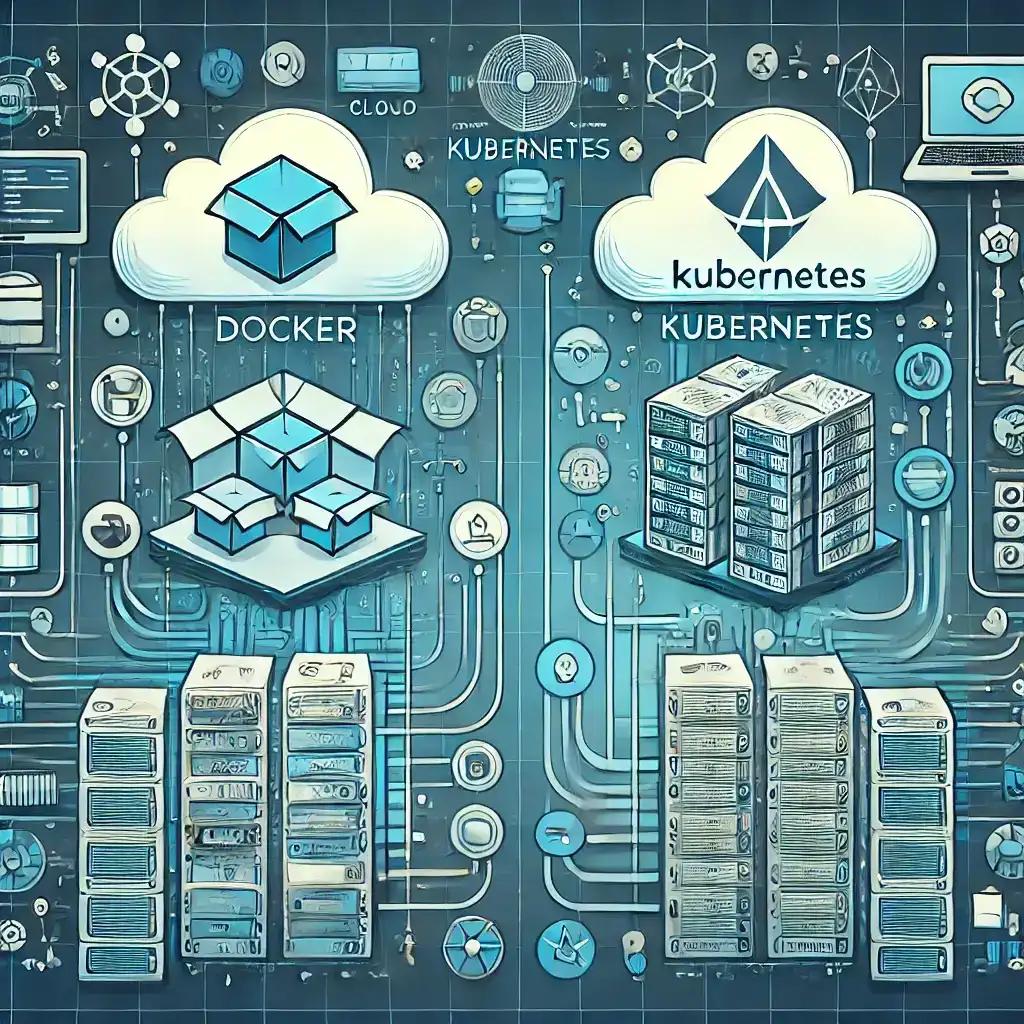
Docker vs Kubernetes: What’s the Difference and Which One Do You Need?
Docker and Kubernetes are often mentioned together, but they are not really competing technologies. They solve different problems in the application deployment lifecycle.
Docker focuses on packaging and running applications in containers. Kubernetes focuses on managing containerized workloads across a cluster of machines.
That distinction matters when choosing an architecture. A small web application may run perfectly well with Docker and Docker Compose, while a large platform with multiple services, automated deployments, self-healing requirements and variable workloads may benefit from Kubernetes.
The right choice is therefore not simply “Docker or Kubernetes.” The better question is: how much container orchestration does your application actually need?
Docker vs Kubernetes at a Glance
| Area | Docker | Kubernetes |
|---|---|---|
| Primary purpose | Build, package and run containers | Orchestrate containerized workloads |
| Main abstraction | Container | Pod, Deployment, Service and other resources |
| Typical scope | Single machine or small deployment | Cluster of machines |
| Scaling | Manual or externally managed | Built-in workload scaling mechanisms |
| Self-healing | Limited by itself | Continuously reconciles desired state |
| Service discovery | Basic container networking | Cluster-level service discovery |
| Deployment complexity | Lower | Higher |
| Best fit | Development, small applications and straightforward deployments | Complex, distributed and operationally demanding platforms |
What Is Docker?
Docker is a platform for building and running applications inside containers. A container packages an application together with the dependencies and runtime components it needs, while sharing the host operating system's kernel.
For example, imagine a business application built with Node.js, PostgreSQL and Redis. Instead of manually configuring every server with the correct runtime versions and dependencies, a development team can containerize the application and define the supporting services through Docker tooling.
This creates a much more consistent environment between development, testing and production.
What Problem Does Docker Solve?
Docker primarily addresses the packaging and environment problem.
Without containers, an application can behave differently between a developer's laptop, staging server and production machine because of differences in operating-system packages, runtime versions, environment configuration or installed dependencies.
With Docker, the application can be packaged into an image and executed as a container.
A typical workflow looks like:
Source Code
    ↓
Dockerfile
    ↓
Docker Image
    ↓
Container
    ↓
Application Runtime
Docker does not automatically turn a collection of containers into a highly available distributed platform. That is where orchestration becomes relevant.
Docker Images vs Containers
Two Docker concepts are particularly important.
A Docker image is an immutable package containing the application and its required filesystem layers.
A container is a running instance created from an image.
For example, a company may build one version of its web application into an image and run several containers from that same image.
This separation makes deployments more repeatable because the same image can move through development, staging and production environments.
What Is Docker Compose?
Docker Compose helps developers define and run multiple related containers as one application environment.
Consider a SaaS application containing:
- A frontend application
- A backend API
- A PostgreSQL database
- A Redis instance
- A background worker
Instead of starting each service independently, Compose can describe the environment declaratively and start the required services together.
For local development, testing and smaller deployments, this can be extremely practical.
However, Docker Compose is not equivalent to Kubernetes. Compose is primarily designed around managing application containers, while Kubernetes provides a much broader orchestration model for cluster-based workloads.
What Is Kubernetes?
Kubernetes is an open-source container orchestration platform designed to automate the deployment, scaling and management of containerized workloads.
Instead of asking a developer or operations engineer to manually monitor every container, Kubernetes maintains a declared desired state.
For example, a team might declare that an API should have several running replicas. If one replica fails, Kubernetes can detect the difference between the desired state and the current state and attempt to restore it.
The basic idea is:
Desired State
      ↓
Kubernetes Control Plane
      ↓
Cluster
      ↓
Pods / Workloads
      ↓
Application Services
What Problem Does Kubernetes Solve?
Kubernetes becomes valuable when managing containers manually starts becoming operationally difficult.
Imagine an e-commerce platform with separate services for authentication, catalog, orders, payments, notifications and search. During a promotional campaign, the order service may need more capacity than the notification service.
Managing those workloads individually across several servers can quickly become complicated.
Kubernetes provides mechanisms for scheduling workloads, service discovery, scaling, rolling updates, configuration, health checks and recovery.
Docker vs Kubernetes: The Core Difference
The simplest way to understand the relationship is:
Docker packages and runs the workload. Kubernetes coordinates workloads across infrastructure.
Docker answers questions such as:
- How do we package this application?
- How do we reproduce its runtime environment?
- How do we run the application in a container?
Kubernetes answers questions such as:
- Where should this workload run?
- How many replicas should exist?
- What happens when a workload fails?
- How should services discover each other?
- How should deployments be rolled out?
- How should workloads scale?
Containers and Pods Are Not the Same Thing
One common misconception is that Kubernetes simply replaces Docker containers with another type of container.
Kubernetes introduces the concept of a Pod. A Pod is the smallest deployable unit in Kubernetes and can contain one or more containers that share networking and storage context.
In many applications, a Pod contains a single main application container. Multiple Pods can then provide replicas of that workload.
This distinction becomes important when designing Kubernetes deployments because the platform manages workloads through Kubernetes resources rather than treating individual containers as the complete application model.
Scaling: Docker vs Kubernetes
Suppose an API normally handles traffic with a few application instances but suddenly receives a large increase in requests.
With a straightforward Docker deployment, adding capacity usually requires explicit operational actions or another system to manage the scaling.
Kubernetes provides mechanisms such as Deployments and Horizontal Pod Autoscaling to help applications respond to changing workloads when the necessary metrics and infrastructure are configured.
However, Kubernetes does not magically make an application scalable. Database bottlenecks, inefficient queries, shared storage, external APIs and application architecture can still limit the system.
Deployment and Rolling Updates
Deployment strategy becomes increasingly important as applications grow.
Imagine releasing a new version of a customer portal. Replacing every running instance at exactly the same time creates unnecessary risk.
Kubernetes Deployments can manage controlled rollouts, allowing new Pods to be introduced while old ones are gradually replaced according to the deployment strategy.
This can support safer releases and easier rollback procedures when properly configured.
Self-Healing and Health Checks
Production applications need to account for failure.
A container can crash because of an application error, memory pressure or an unexpected dependency failure. A simple container runtime can restart a container when configured to do so, but Kubernetes extends this model to the application workload and cluster level.
Kubernetes can use health probes to determine whether an application is ready to receive traffic or whether a running workload is unhealthy.
For example, an API may start successfully but remain unable to connect to a critical dependency. A readiness probe can prevent traffic from being sent to that instance until it is actually ready.
Networking and Service Discovery
As applications become distributed, networking becomes more complicated.
A platform might contain several replicas of an API whose individual addresses can change as workloads are recreated or rescheduled.
Kubernetes Services provide a stable abstraction for exposing workloads and allowing other components to communicate with them without depending directly on individual Pod addresses.
This is particularly useful in microservice architectures where many independently deployed workloads need to communicate reliably.
Docker vs Kubernetes for Microservices
Docker is useful for packaging individual microservices, but packaging alone does not solve the operational problems created by having many services.
Consider a platform with dozens of services. Each service may have its own deployment lifecycle, resource requirements, health checks, scaling behavior and configuration.
Kubernetes can provide a common orchestration layer for those workloads.
However, using Kubernetes does not automatically mean an application should be split into dozens of microservices. A modular monolith can also run inside containers and may be a better architectural choice for many businesses.
Docker vs Kubernetes for Small Applications
For a small business application with a predictable workload, Kubernetes may introduce more operational complexity than the application actually requires.
For example, a company running a customer portal, internal dashboard and API on a modest infrastructure setup may be perfectly comfortable with Docker Compose or another simpler deployment approach.
Adding Kubernetes introduces additional concepts, configuration, monitoring and operational responsibilities.
More infrastructure does not automatically mean a better architecture.
Docker vs Kubernetes for Large Applications
Kubernetes becomes more compelling when operational requirements grow.
A large SaaS platform may need:
- Multiple application replicas
- Independent service deployments
- Automated workload recovery
- Horizontal scaling
- Cluster-level scheduling
- Service discovery
- Rolling deployments
- Resource management
- Centralized configuration and secrets management
- Strong observability and operational controls
At this point, the value of orchestration can outweigh its additional complexity.
Docker Compose vs Kubernetes
| Docker Compose | Kubernetes |
|---|---|
| Simple multi-container application environments | Cluster-based container orchestration |
| Excellent for local development | Designed for production orchestration at larger scale |
| Lower operational complexity | Higher operational complexity |
| Easy to understand and configure | Broader resource and configuration model |
| Good for straightforward deployments | Useful for complex distributed workloads |
The choice should be based on operational requirements rather than the assumption that Kubernetes is automatically the more professional option.
Does Kubernetes Replace Docker?
Not in the simple sense often suggested.
Kubernetes is an orchestration platform, not simply a replacement for the container image and packaging workflow.
Modern Kubernetes environments use the Container Runtime Interface (CRI) and can run containers through runtimes such as containerd and CRI-O. Docker remains widely used by developers for building images and local container workflows, even though Kubernetes nodes do not need the Docker Engine itself to run containers.
This distinction is important because “Kubernetes replaces Docker” is an oversimplification.
Docker vs Kubernetes: Cost and Operational Complexity
The technical capabilities of a platform are only part of the decision.
Running Kubernetes introduces additional operational responsibilities. Teams need to think about cluster management, networking, upgrades, observability, security, resource limits, storage and failure scenarios.
Managed Kubernetes services can reduce some of this burden, but they do not remove the need for Kubernetes expertise.
For a small application, simpler infrastructure can therefore produce a better overall result.
Security Considerations
Containers do not automatically make an application secure.
Teams should consider image provenance, dependency vulnerabilities, secrets management, network policies, access control, least-privilege permissions and runtime configuration.
Kubernetes adds its own security surface, including cluster access, workload permissions and service-to-service communication.
A secure architecture therefore depends on how the entire deployment environment is designed and operated, not simply whether Docker or Kubernetes is selected.
Docker vs Kubernetes: A Practical Decision Framework
Instead of choosing based on popularity, evaluate the application against its operational needs.
Choose Docker with a simpler orchestration approach when:
- The application is relatively small.
- Traffic is predictable.
- There are only a few services.
- The team wants minimal infrastructure overhead.
- Deployments can be handled without cluster-level orchestration.
- Docker Compose or a similar approach meets the operational requirements.
Consider Kubernetes when:
- Multiple services need coordinated management.
- Workloads need independent scaling.
- Automated recovery is important.
- Rolling deployments are a core requirement.
- The platform runs across multiple machines or nodes.
- Service discovery and workload scheduling are becoming difficult to manage manually.
- The team has the operational expertise to run Kubernetes effectively.
Docker and Kubernetes Can Work Together
The choice does not have to be Docker versus Kubernetes.
A common architecture is to use Docker-compatible workflows to build and package application images, push those images to a container registry and then deploy them through Kubernetes.
The relationship can therefore look like:
Application Source
       ↓
Dockerfile
       ↓
Container Image
       ↓
Container Registry
       ↓
Kubernetes
       ↓
Pods
       ↓
Services
       ↓
Users
This illustrates why the technologies are better understood as complementary layers rather than direct competitors.
How Code-Ox Approaches Deployment Architecture
At Code-Ox, deployment architecture is selected according to the application's actual requirements rather than simply choosing the most complex infrastructure available.
For a straightforward business application, containerization can provide consistency and deployment reliability without introducing unnecessary orchestration overhead.
For larger platforms with distributed services, variable workloads, automated deployments and stronger availability requirements, container orchestration can become a more appropriate architectural layer.
The important step is to evaluate application boundaries, traffic patterns, deployment frequency, infrastructure requirements, team capabilities and long-term growth before selecting the deployment model.
Final Verdict: Docker vs Kubernetes
Docker and Kubernetes should not be viewed as two versions of the same technology.
Docker focuses on containers: packaging applications, creating images and running containerized workloads.
Kubernetes focuses on orchestration: scheduling, scaling, networking, deployment and lifecycle management of containerized workloads across a cluster.
For smaller and simpler applications, Docker with a lightweight deployment strategy can be the better engineering decision. For complex platforms with multiple workloads and demanding operational requirements, Kubernetes can provide the orchestration capabilities needed to manage that complexity.
The best architecture is not the one with the most infrastructure. It is the one that solves the application's operational problems without creating unnecessary ones.
If your business is planning a new web application, SaaS platform, API ecosystem or distributed system, Code-Ox can help design the application and deployment architecture around your actual scalability, reliability and operational requirements.